Expenses
Who paid, and who’s owed.
Record what you buy for their care, keep the receipts, and see who’s waiting to be paid back. Settle up evenly when you’re ready, without the awkward conversation.
From the receipt to settled.
- 1
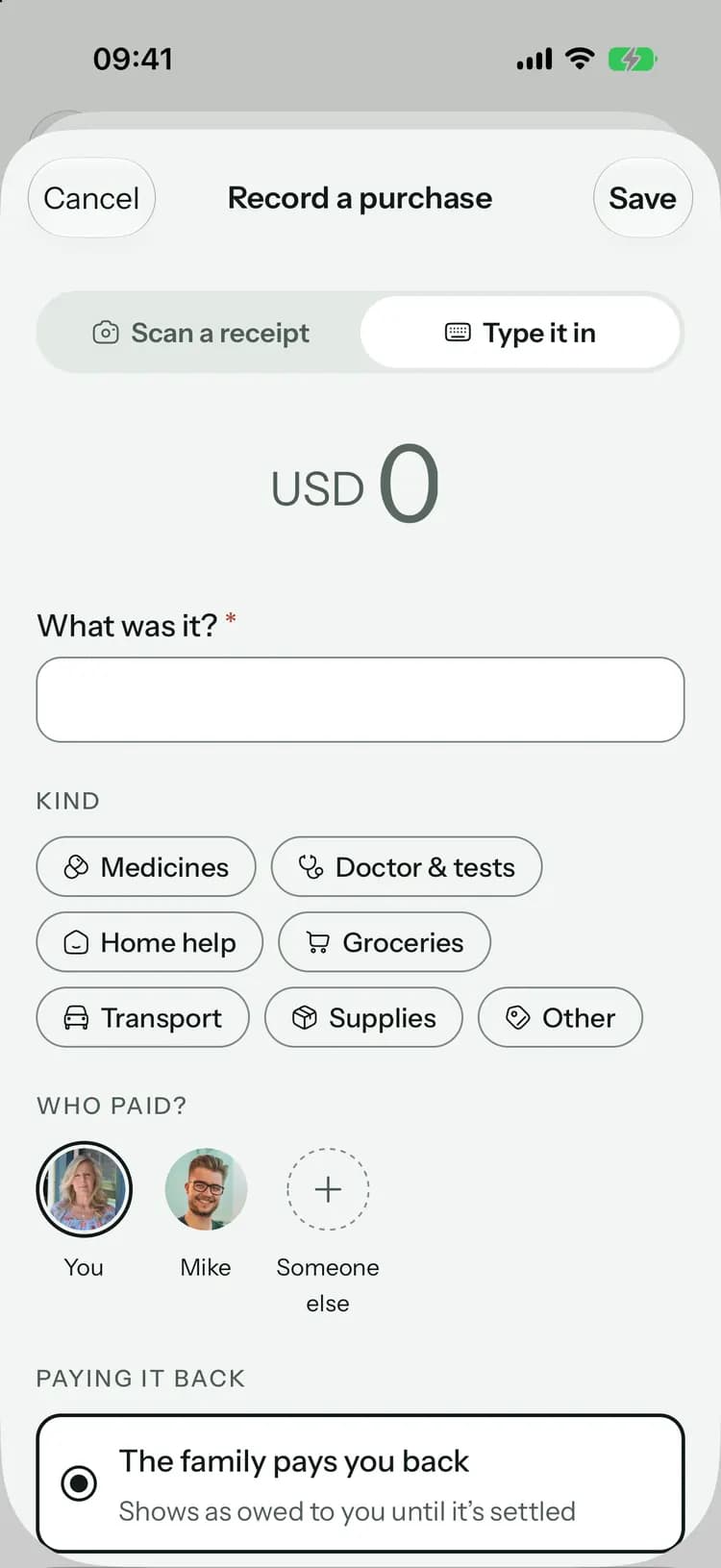
Record a purchase
The amount, what it was and who paid. With Family+, scan the receipt and Pip fills it in.
- 2
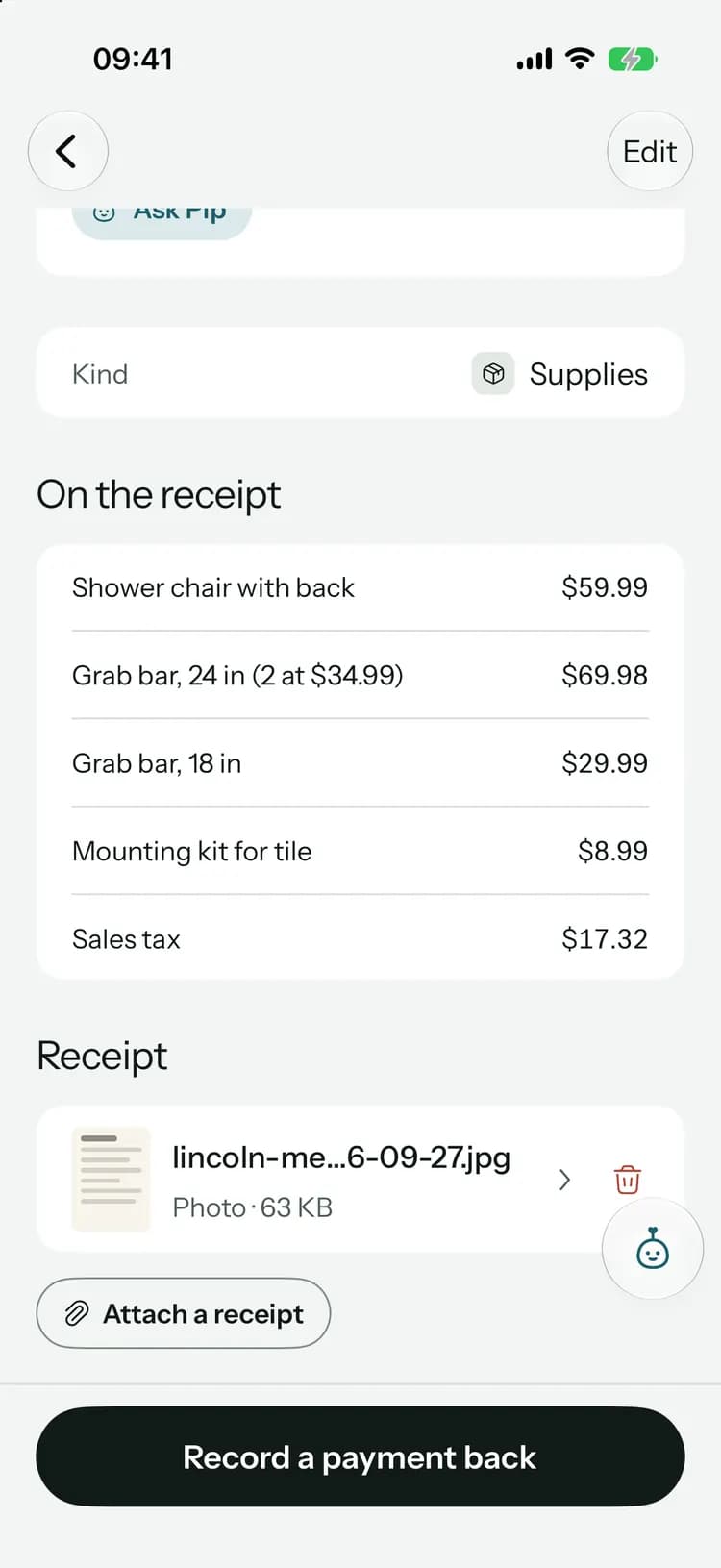
Keep the receipt
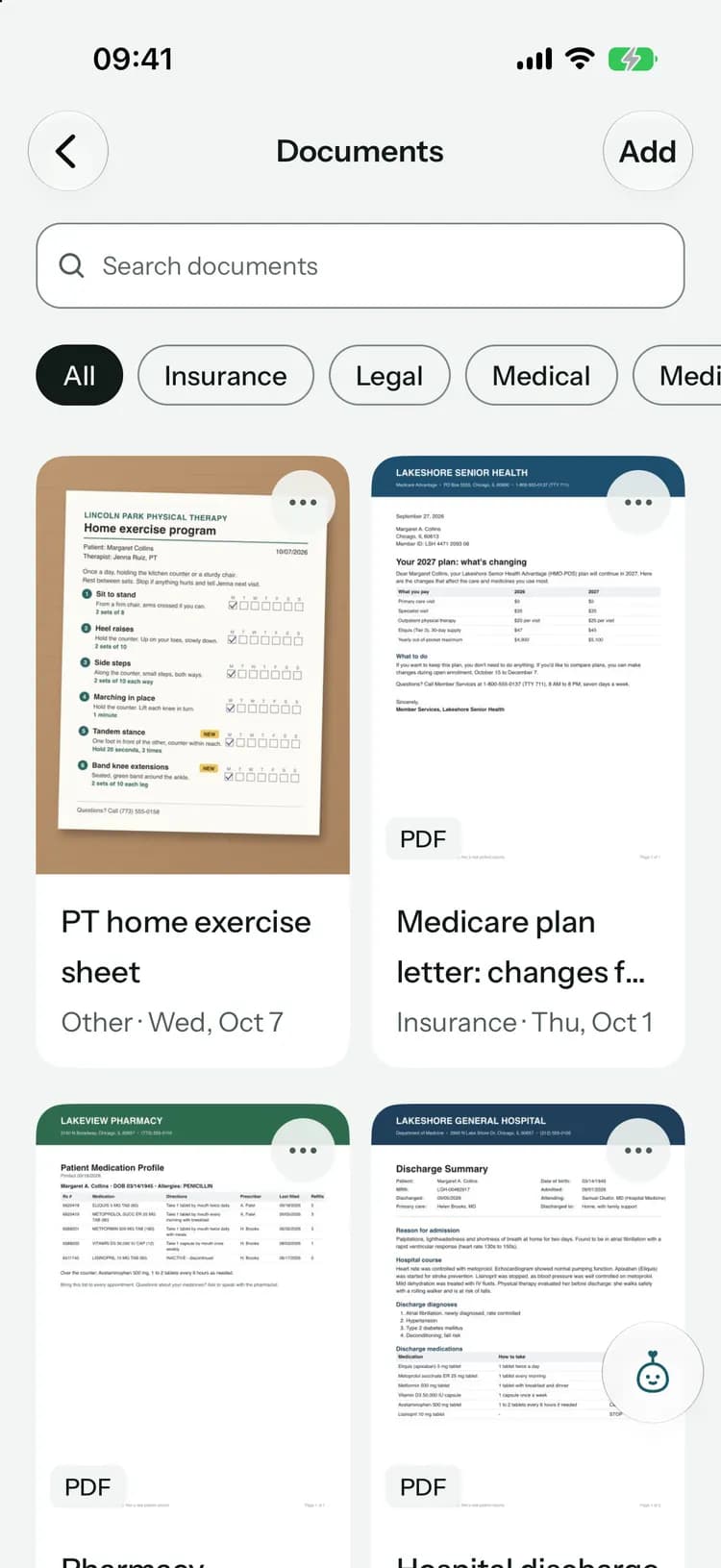
Attach photos or PDFs to each purchase. A scanned receipt keeps every item on it.
- 3
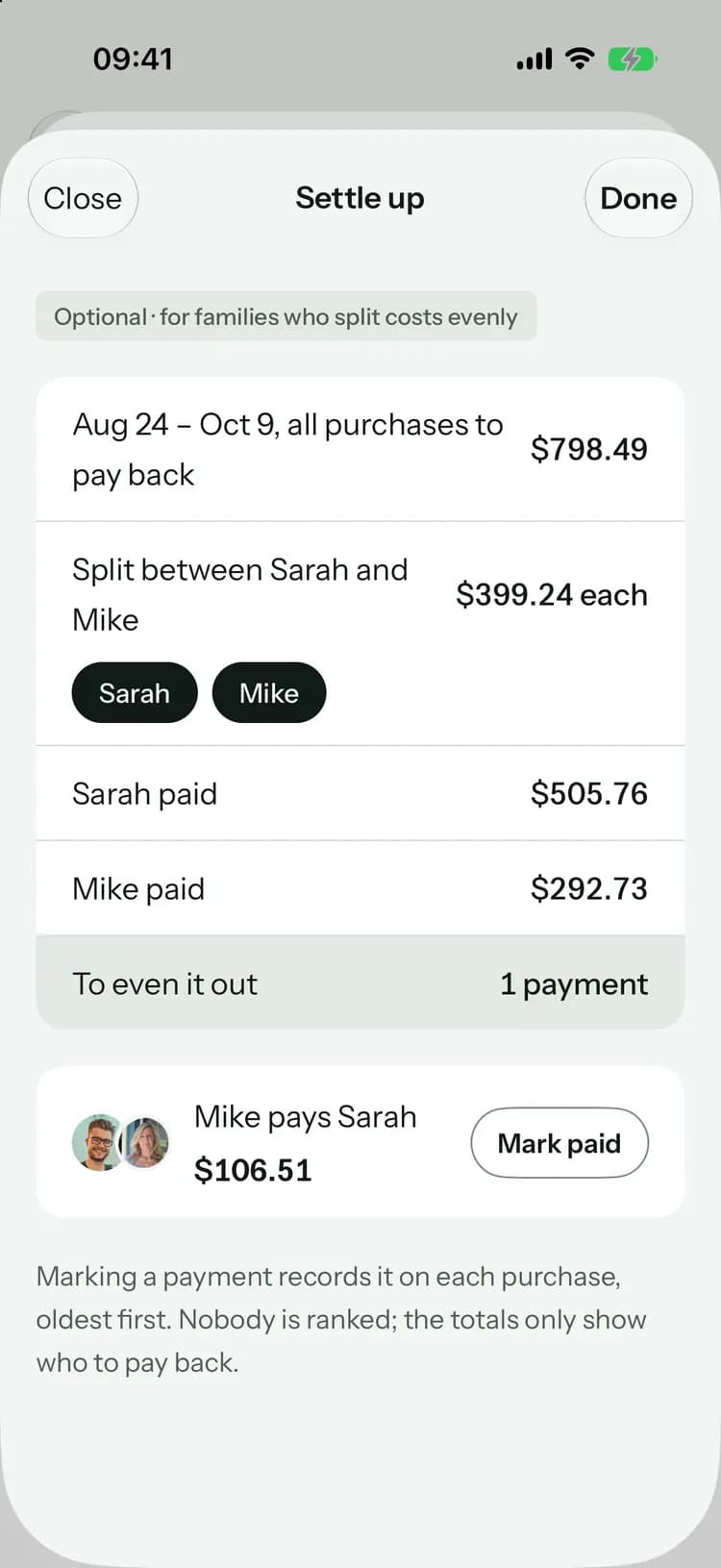
Settle up
Split what’s owed evenly between the people who share costs, and mark each payment as it’s made.
Money, without the awkward part.
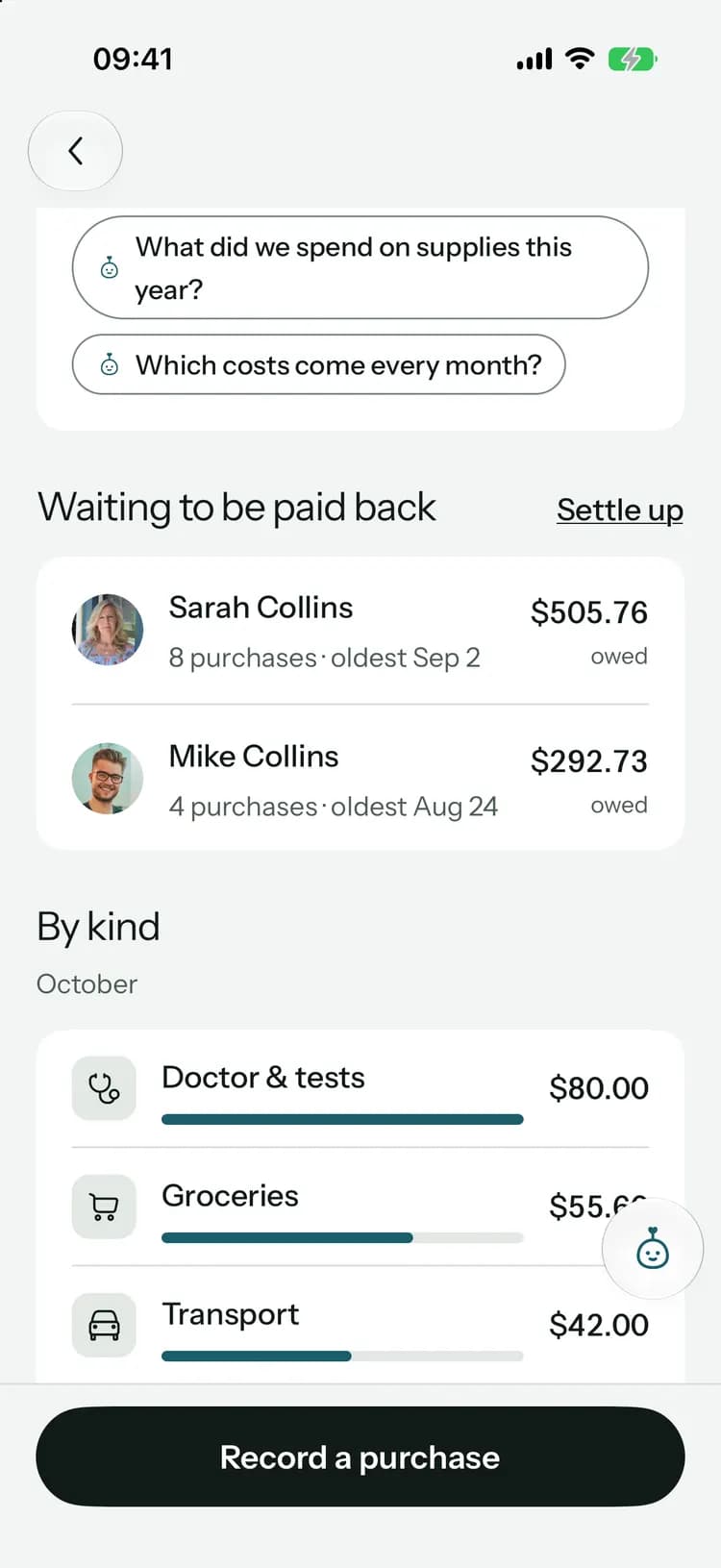
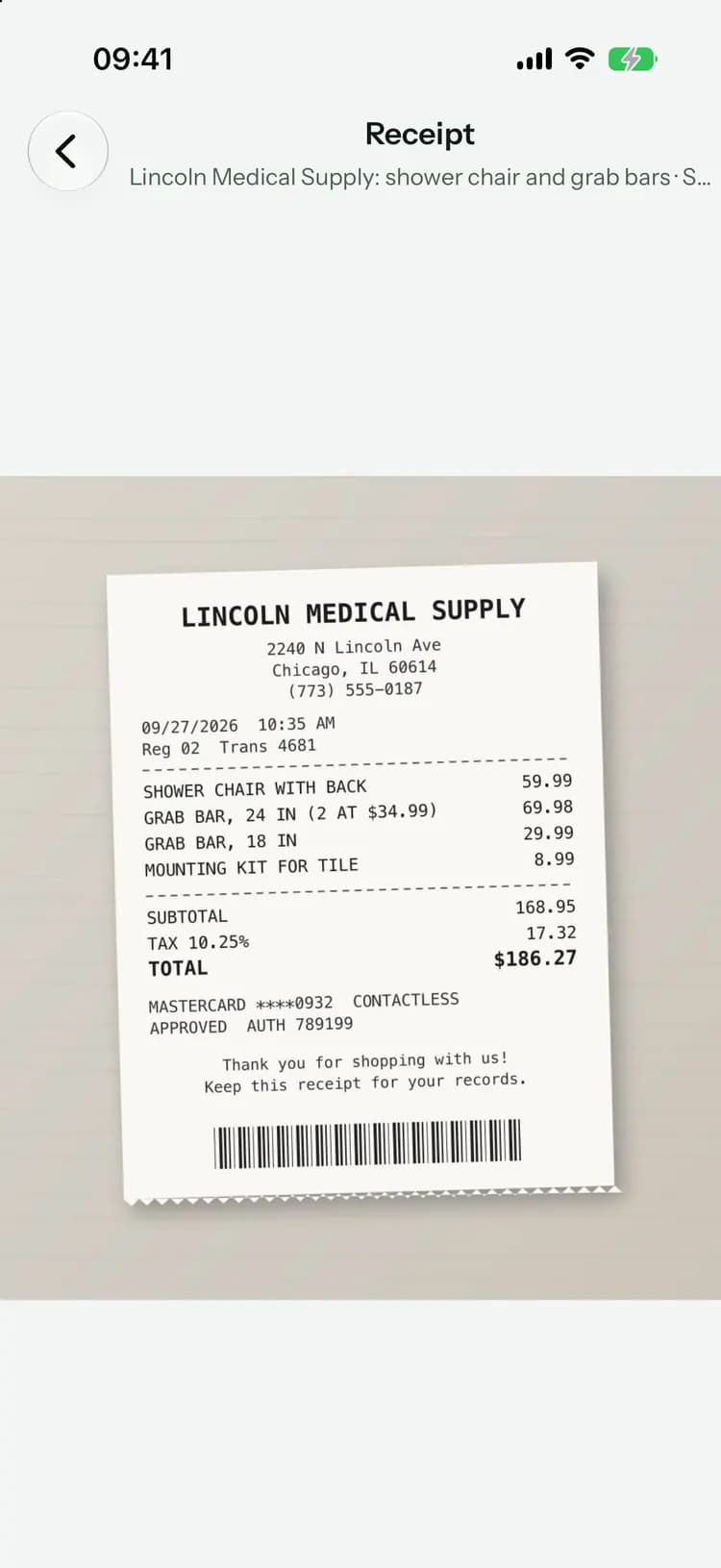
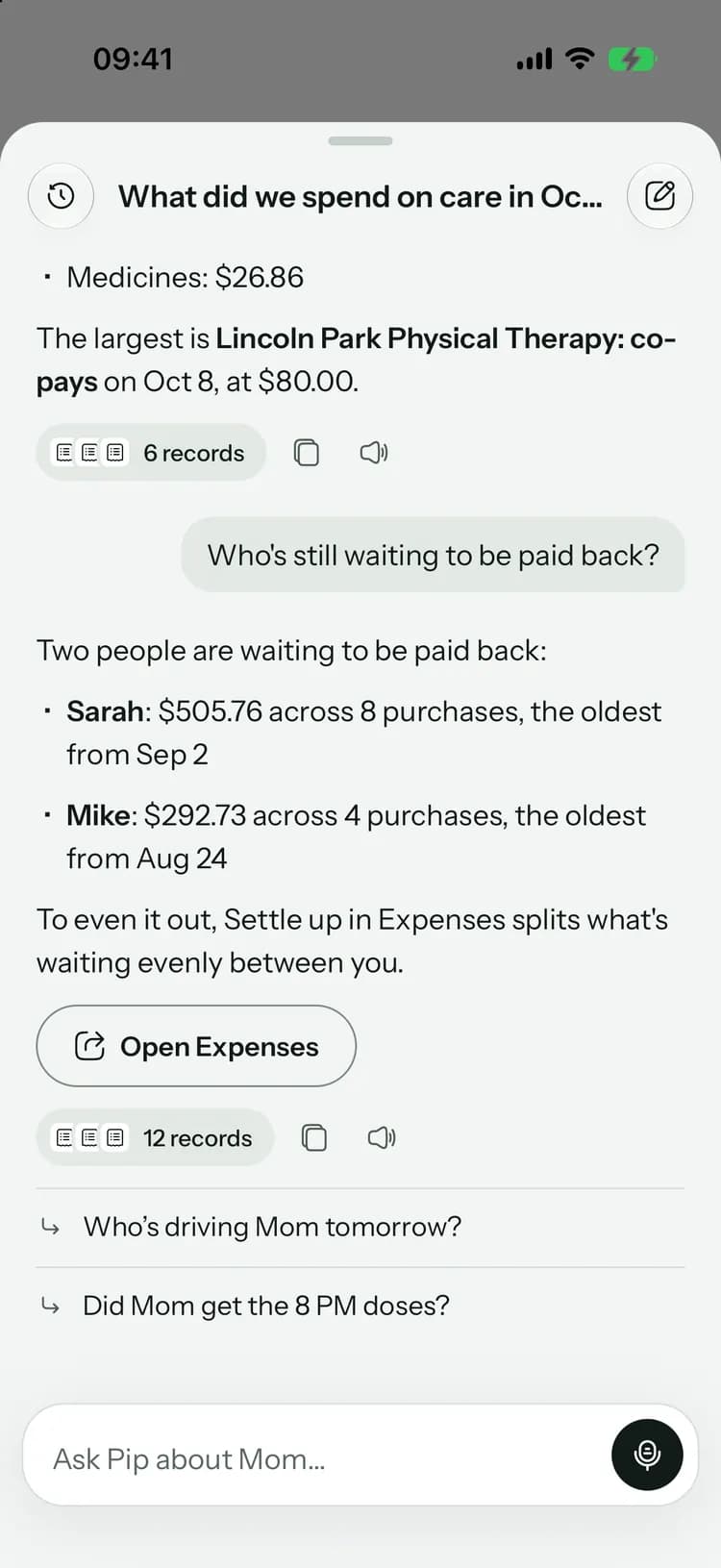
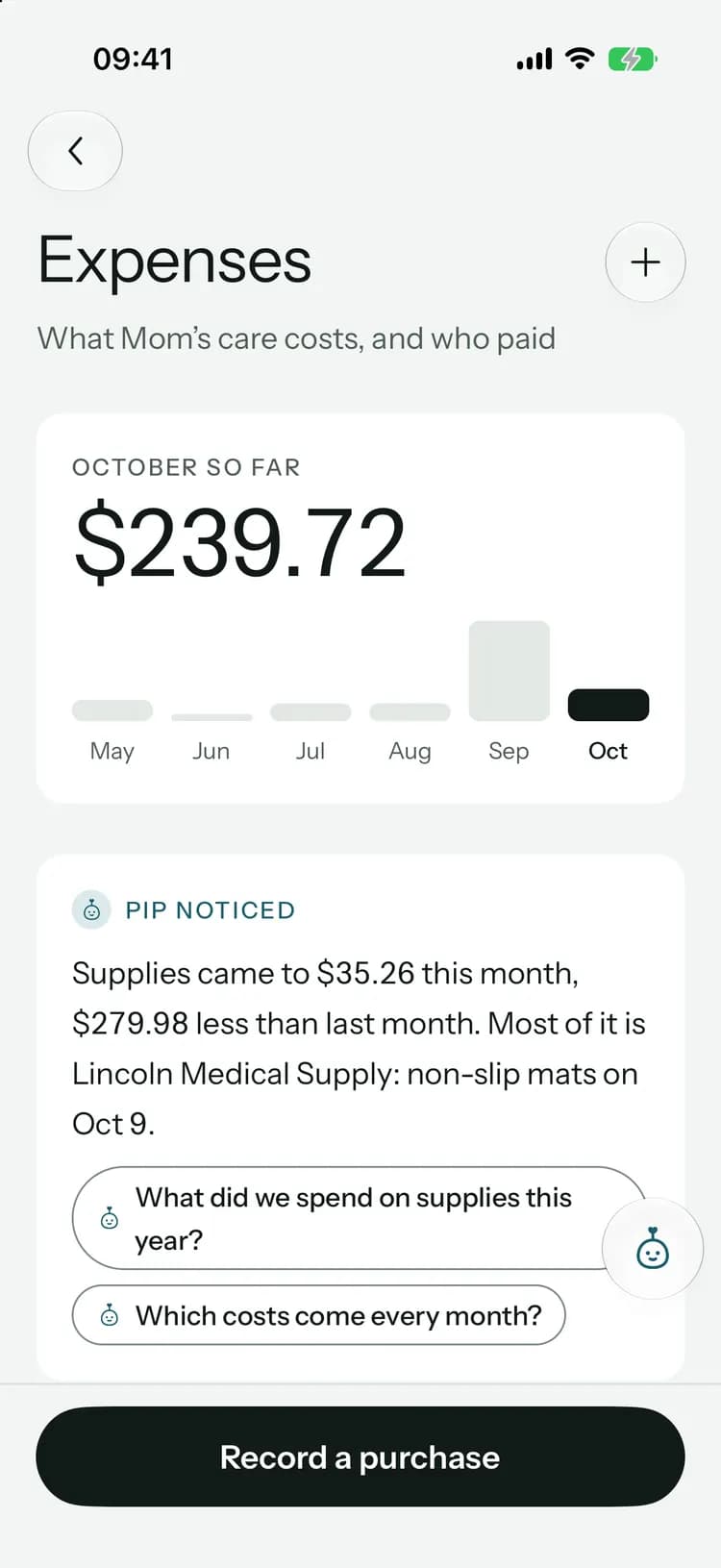
Who’s owed, how much and since when, with spending by kind for the month underneath.
Who’s owed, how much and since when, with spending by kind for the month underneath.
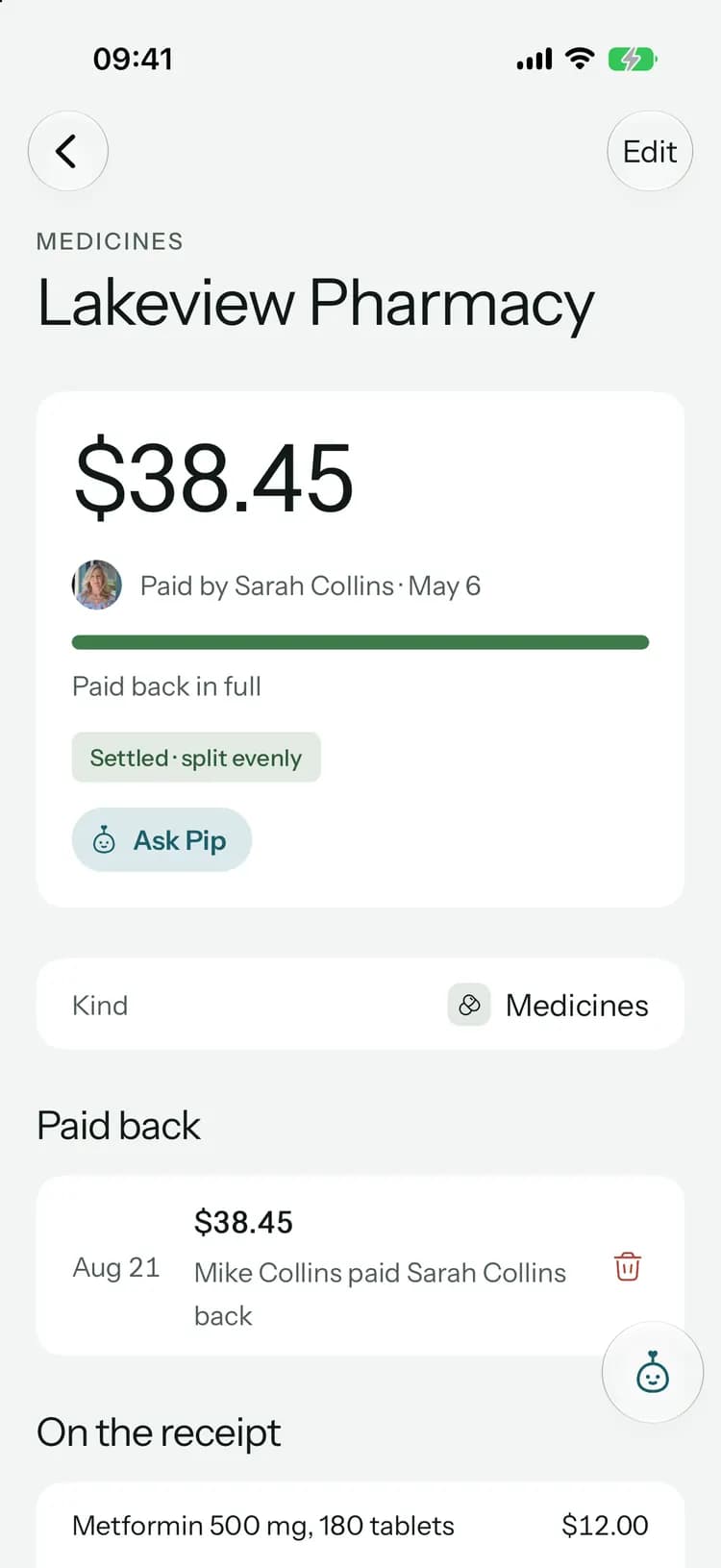
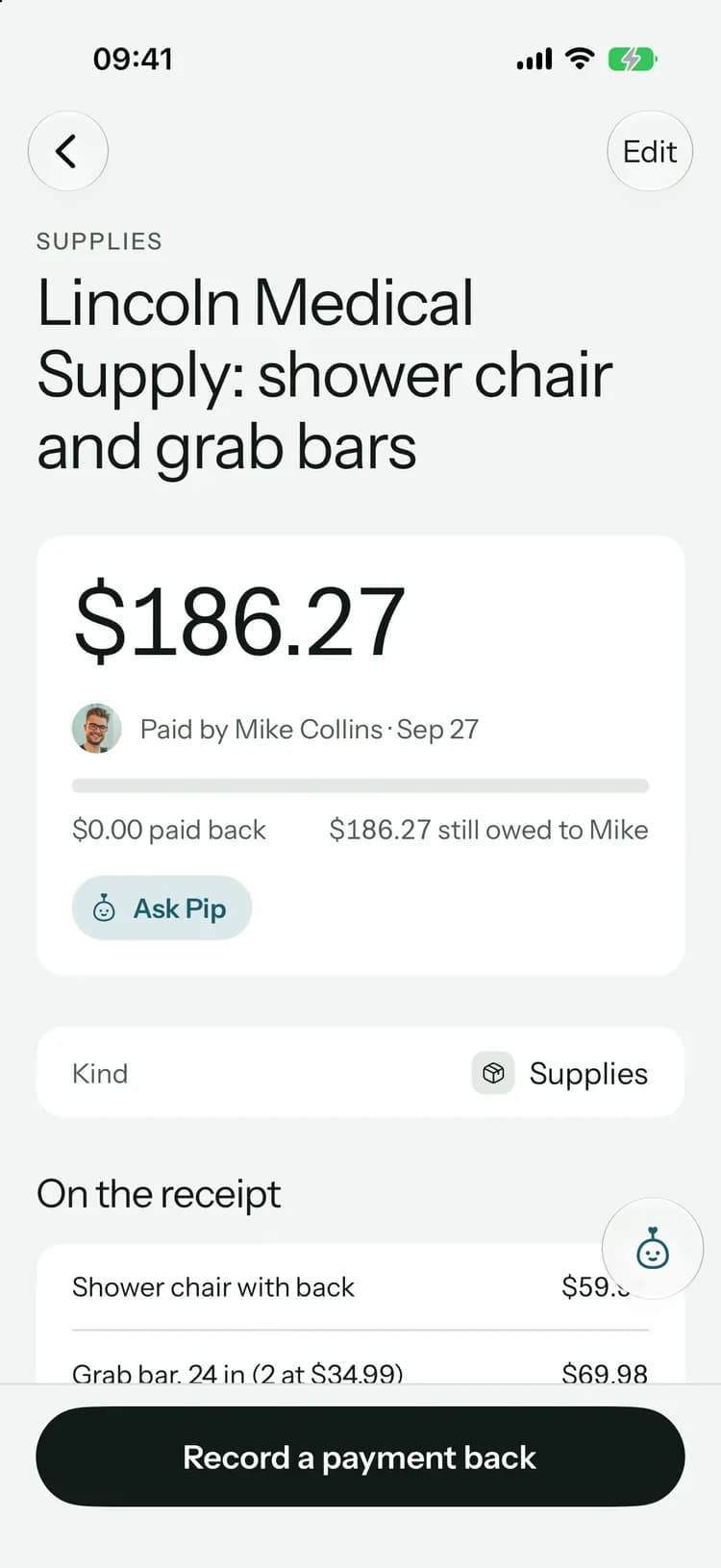
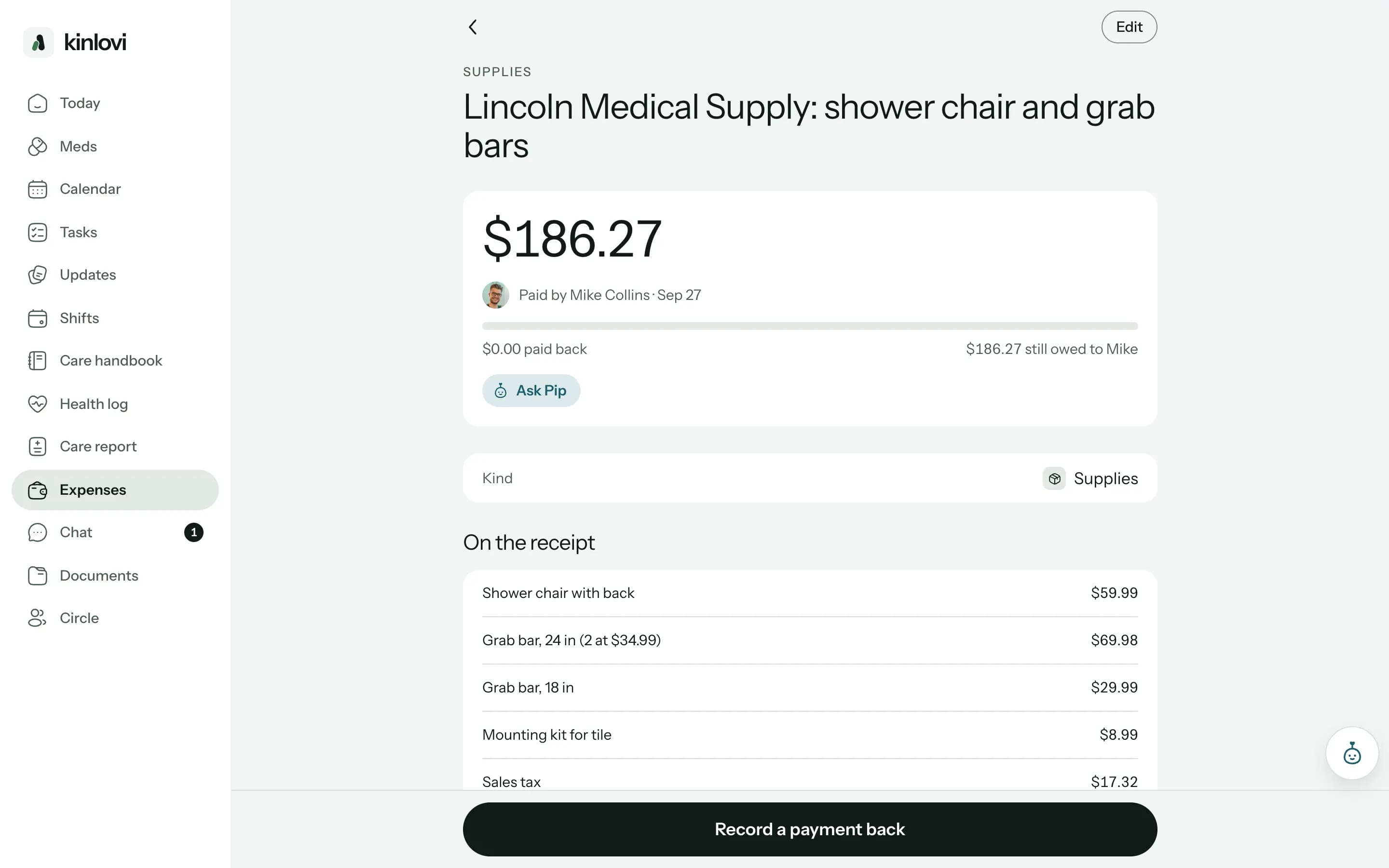
What it was, who paid, how much is still owed and what was on the receipt.
The photo stays with the purchase, so nobody has to dig through a drawer.
With Family+, ask what the month cost or who’s still waiting to be paid back. Pip answers from your purchases and shows which ones it used.
Meet PipDo the books at your desk.
Clear, fair and private.
By kind, by month
Medicines, doctor and tests, home help, groceries, transport and supplies, over the last six months.No payback needed
Mark a gift, or something paid from their own money, so it’s recorded without anyone owing.Your currency
Choose the circle’s currency once, and every purchase and payment uses it.Family only
Shared expenses are for the family. Paid caregivers don’t see them.
On every plan
Purchases, receipts, paybacks and settling up are included on every plan, Free too.
With Family+:Scanning receipts, and asking Pip about costs.
Common questions
Something else on your mind? Visit the help center

Fair to everyone who helps.
Free to start, on iPhone, Android and the web. Everyone you invite joins free.
Launching soon. Tell me when it’s live