What’s new
What’s new in Kinlovi.
The latest changes to Kinlovi on iPhone, Android and the web, newest first.
Professional care with a home care agency
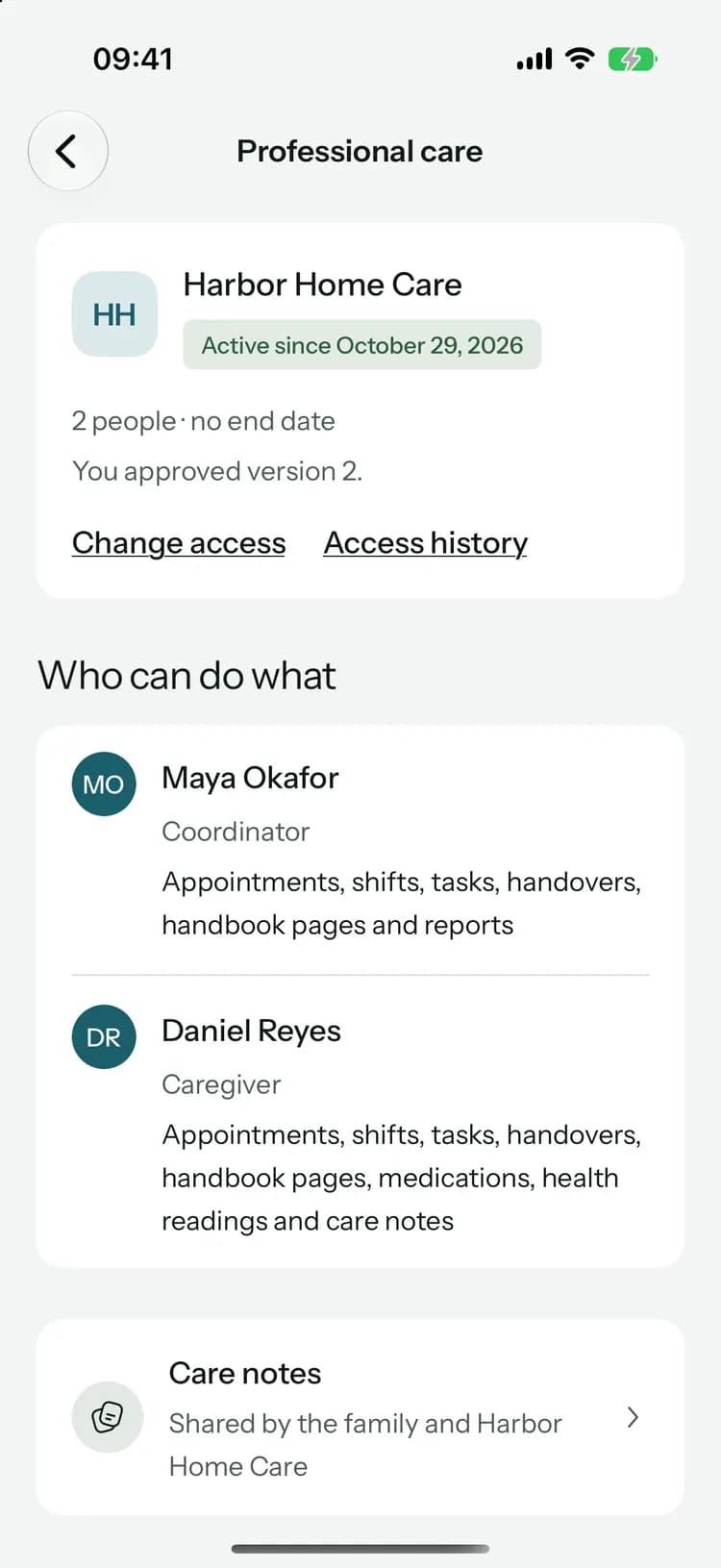
When an agency helps with Mom’s care, its caregivers and nurses can work in the circle, and you decide who they are, what they see and for how long.
Connect an agency
Enter the invitation code the agency gave you. You see which agency it’s from first, and connecting shares nothing until you approve a request.
Learn more: Connect an agencyApprove named people
Each request lists the people from the agency, their role and what they can see or change. Choose the handbook pages and documents to share, end it sooner, or decline.
Learn more: Approve named peopleAccess history
See who from the agency opened or changed Mom’s records, and when. Take someone off, turn the agency’s AI off, or end professional access at once.
Care notes
Notes the family and the agency’s team both write, signed with each person’s role. Your updates and chat stay private.
Agency-funded plans
An agency can offer to pay for your circle’s Family plan. Nothing about Mom’s care is shared because of it, and you can end it whenever you like.
Shifts, handovers and a simple view for Mom
Plan who is with them and when, hand over properly at every change, and give the person you care for a calm screen of their own.
Shifts and coverage
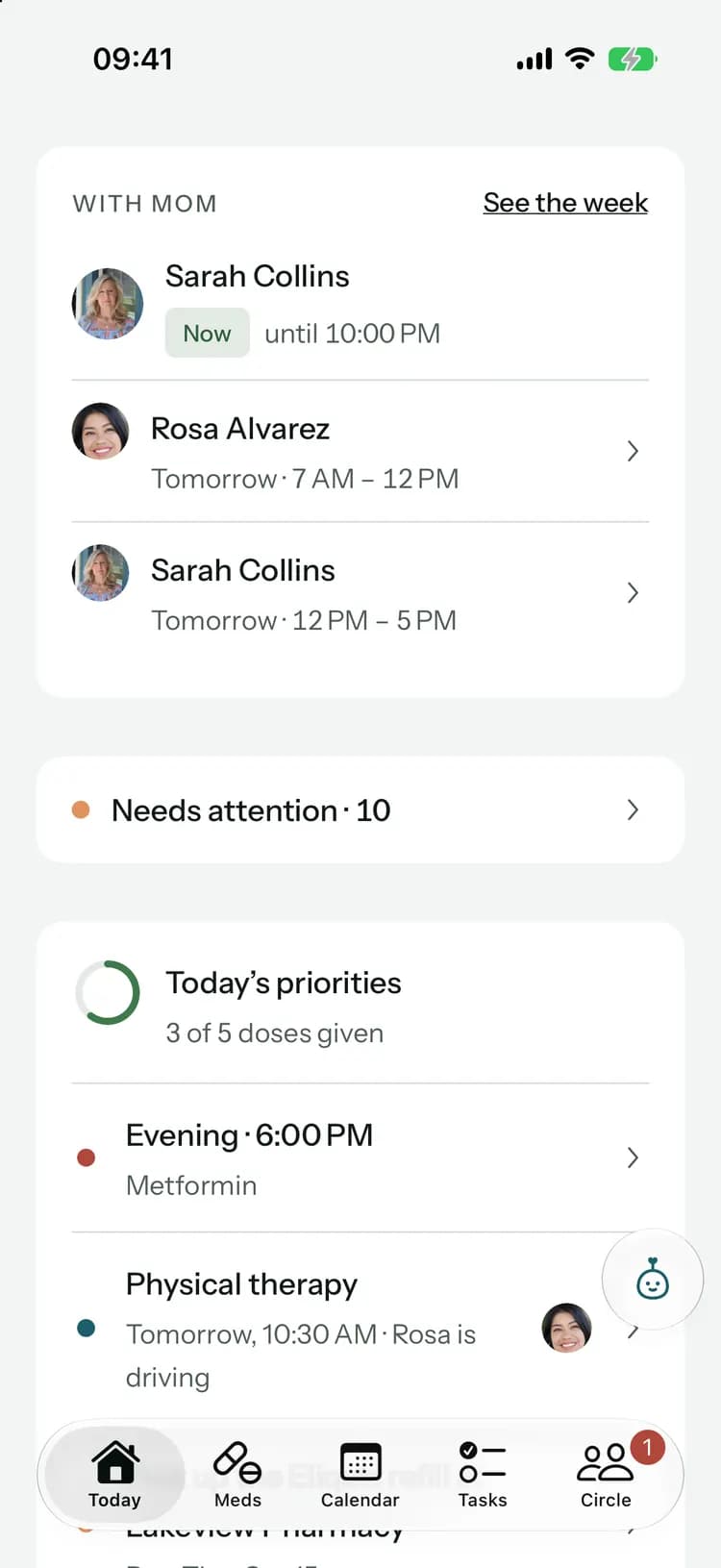
Plan mornings, evenings and nights between family and paid caregivers. Today shows who is with Mom now, the week shows any hours nobody has, and anyone can ask for cover, swap a shift or ask for a break.
Learn more: Shifts and coverageA clear yes or no
Give someone a task, a ride or a shift and they accept or decline it, or ask you to find someone else. Until they answer, everyone sees who you’re waiting for.
Handovers and a care handbook
End a shift with what was done and what’s left, already listed for you, and the next person confirms with “Got it”. The handbook keeps how Mom likes things done, approved by the family, with every version.
Learn more: Handovers and a care handbookNeeds attention
One list of what’s stuck: unanswered requests, rides without a driver, overdue tasks, open shifts and refills nobody is picking up, each with the button that sorts it.
Refills, start to finish
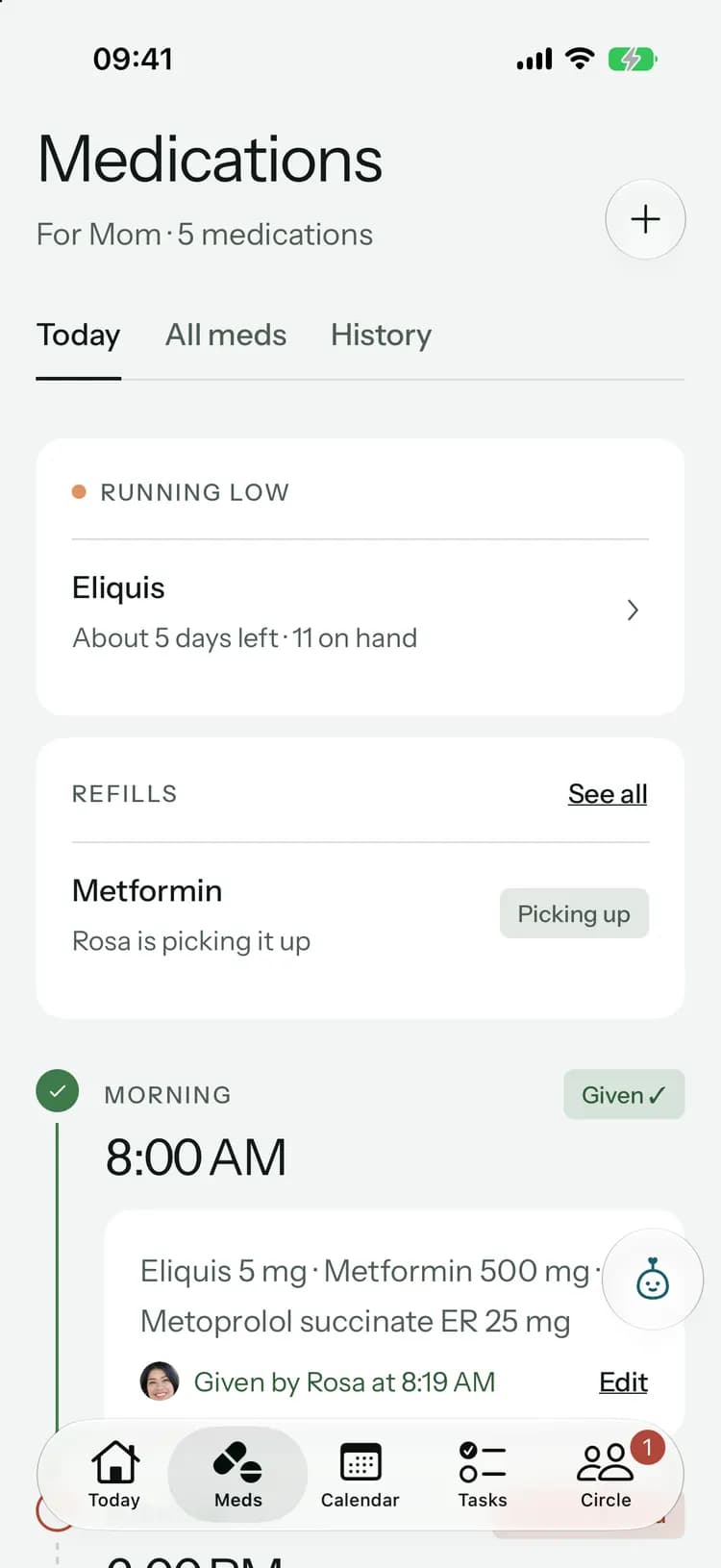
Request a refill, mark it ready, choose who picks it up and log what was collected. The pickup becomes a task, and the running-low warning waits while it’s underway.
Learn more: Refills, start to finishA care report for the doctor
Pick the dates and what to include, and share or print one PDF with the medicines, doses, readings, falls, visit notes and your questions.
Learn more: A care report for the doctorSimple view
A calm, large-type screen for the person you care for: the next visit, a daily check-in and one button to ask the family for help. Set it up with a code, with no account or password.
Learn more: Simple viewBlood sugar, temperature, pulse and oxygen
Four new measures, each kept with how it was taken, like fasting or after a meal, so readings are only compared with readings taken the same way.
Learn more: Blood sugar, temperature, pulse and oxygenWidgets and app lock
See what’s up next on your Home Screen or Lock Screen, private by default, and lock Kinlovi with Face ID, Touch ID or your fingerprint.
Quick capture, a new Pip and a new look
Record a visit in a few taps, let Pip do the small jobs in one, and meet the Kinlovi mark.
Pip, redesignedFamily+
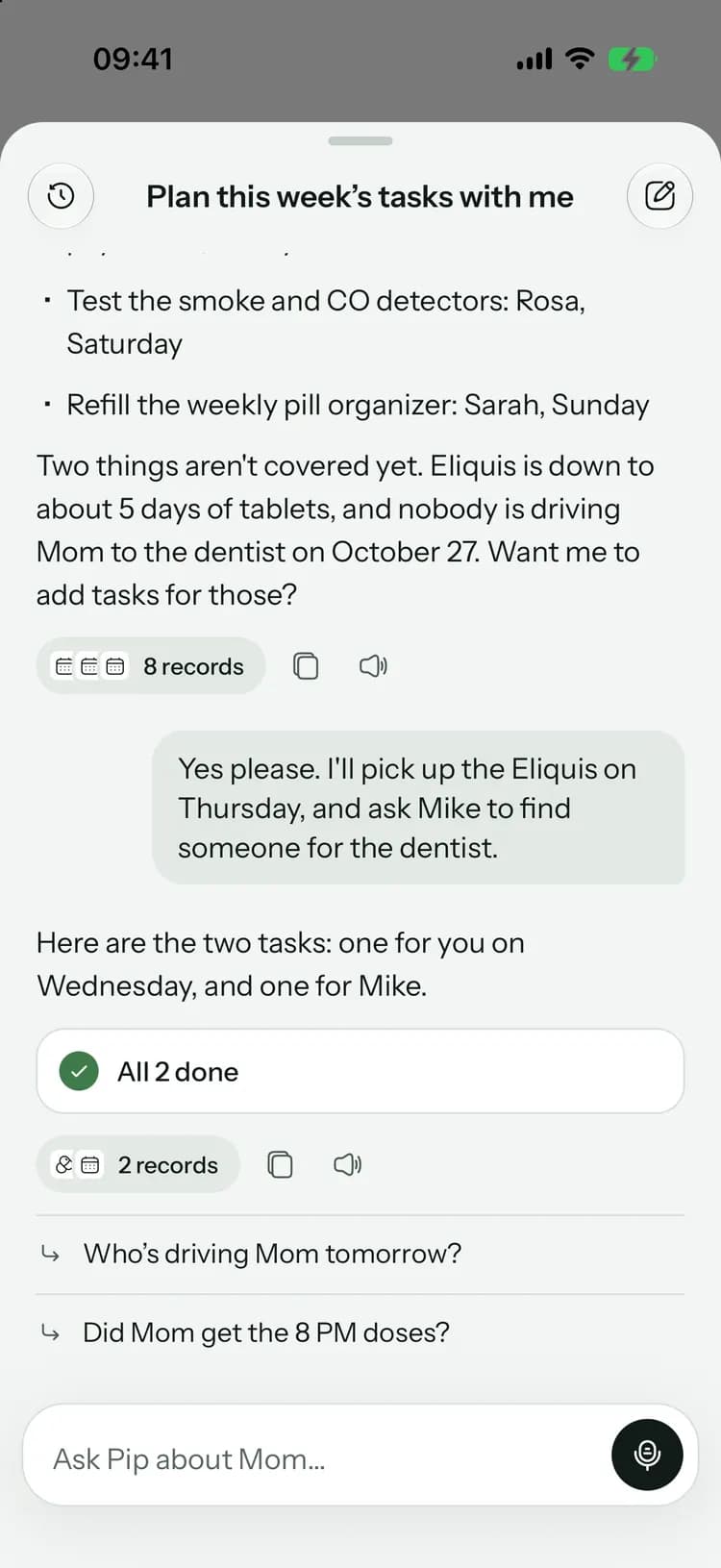
Pip opens with up to four questions about today, like a drive tomorrow or doses due, and each one asks in a tap. When Pip suggests a change, one button does it, and most changes can be undone for 10 minutes.
Learn more: Pip, redesignedAsk Pip about anything you’re looking atFamily+
Open Pip from a visit, a medicine or a purchase and it stays on that record for the whole chat. Search your past chats, and see when a source changed after Pip answered.
A + on Today for everything
Add a task, an appointment, an update, visit notes, a reading or a purchase from one short sheet. After saving you’re right back where you were, and most things can be undone in a tap.
Learn more: A + on Today for everythingVisit notes in three taps
About an hour after a visit, Kinlovi asks how it went. Write the notes in your own words and share them with the family. Past appointments now show the notes first.
Say itFamily+
Say what happened, and the right form opens filled in for you to check. With visit notes, Pip suggests the next steps with dates and people already in place.
Learn more: Say itSage fog, and a new mark
A cooler, calmer palette with stronger contrast, and a new logo: two capsules leaning together, with app icons for light and dark.
A calmer Kinlovi, with health and costs at a glance
A new design on iPhone, Android and the web, photos of the people in the circle, and new health and expense screens.
A new design everywhere
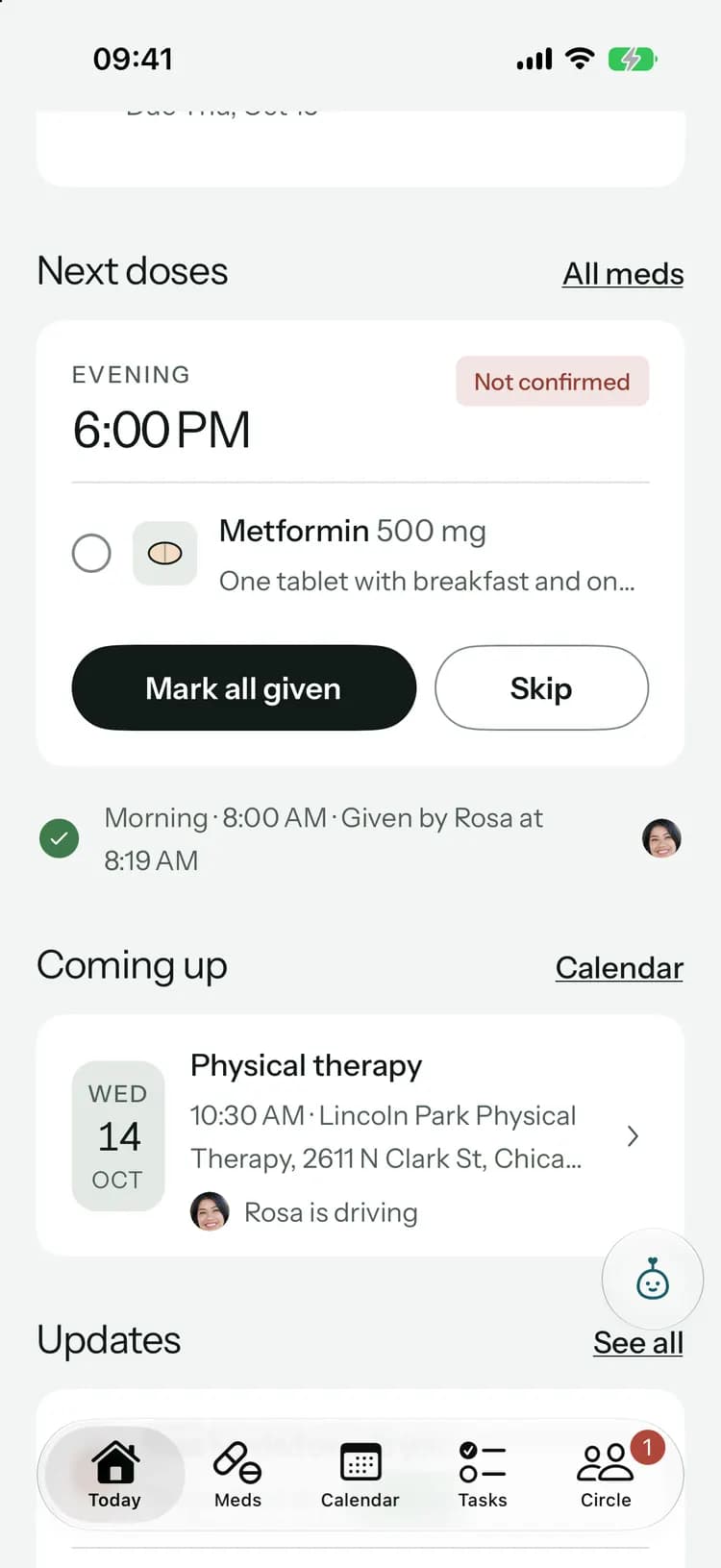
Quieter screens, bigger headings and white cards for the one thing to act on, across the iPhone, Android and web apps. On iOS 26, the tab bar and floating buttons use Liquid Glass.
Faces, not just names
Add a photo of the person you care for, and a profile photo and phone number for yourself. Call buttons appear on the emergency card and the list of who’s helping.
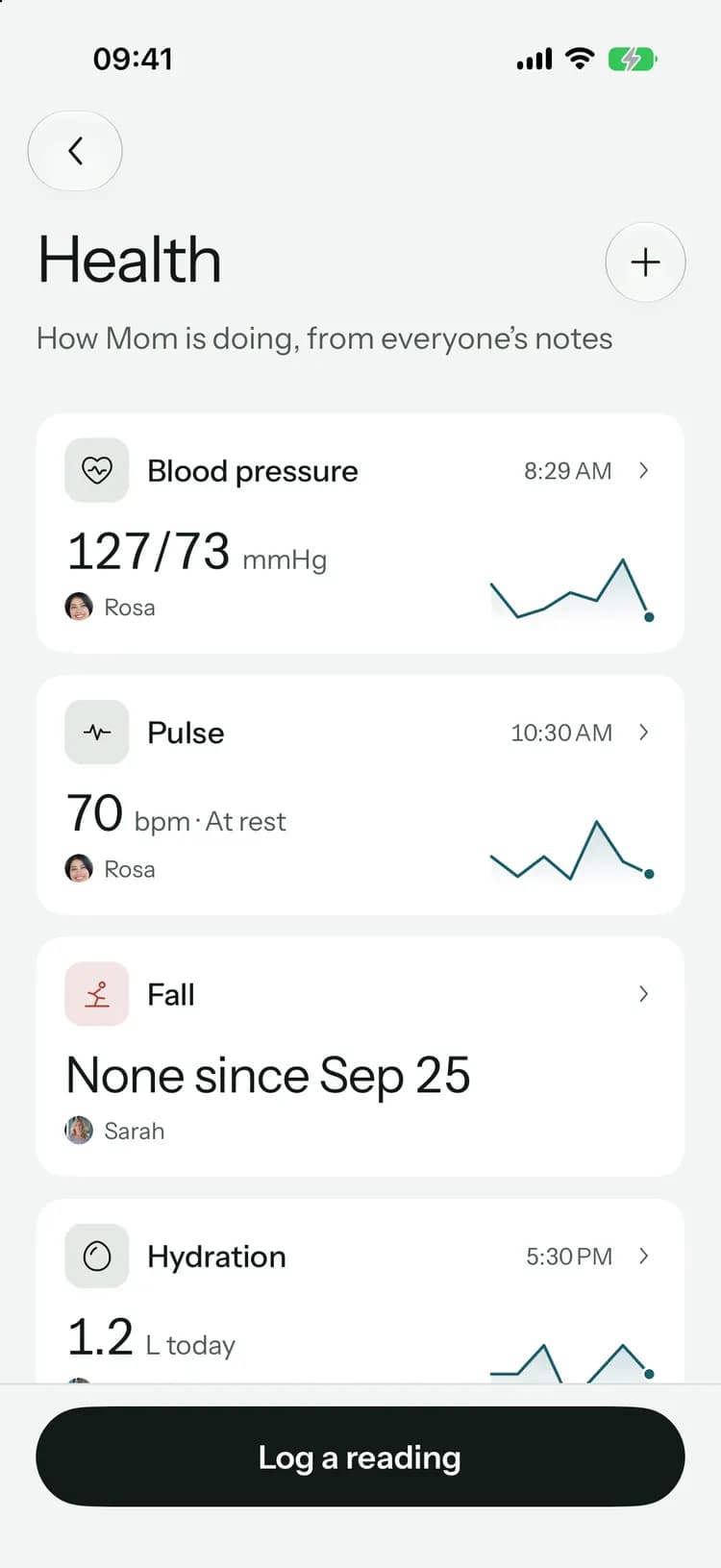
Health at a glance
One row per measure with the latest reading, who logged it and a small trend line. Open any measure to see a week, a month or three months against their usual range.
Learn more: Health at a glanceFalls reach the family right away
Recording a fall tells the rest of the circle straight away, and Today shows it first.
Expenses, rebuilt
See the month, the last six months, what each kind of cost adds up to and who’s waiting to be paid back. Settle up evenly in the fewest payments when you’re ready.
Learn more: Expenses, rebuiltScan a receiptFamily+
Take a photo and Pip reads the shop, date, total and each item. You check everything before it’s saved.
A setup that fits your family
A few quick questions about who you care for, how they’re doing and who helps. About two minutes, and you can skip anything.
Learn more: A setup that fits your familyThe full app in your browser
Every screen from the phone, on a big screen. Changes from anyone in the family show up within about a second, and you can sign in with Apple or Google.
Learn more: The full app in your browserGuides for shared care
Six practical guides on the blog, from the first week of coordinating care to sharing it with your siblings.
Learn more: Guides for shared care
The first version of Kinlovi
The first version: medications, the calendar, tasks, updates, chat, health logs, expenses and documents, in 14 languages.
Medications for the whole family
Add each medicine with its times, log every dose once, and get a reminder before a refill runs out. Medication times follow the time zone of the person you care for.
Learn more: Medications for the whole familyChat for the circle
Messages, voice notes, photos and files, with a conversation for everyone, one for family only, and direct messages.
Learn more: Chat for the circleHealth logs
Record blood pressure, weight, pain, sleep, appetite, water and falls, with who recorded each one and when.
Learn more: Health logsRoutines, replies and “Got it”
Make tasks repeat, add steps for routines, reply and react under updates and tasks, and ask everyone to confirm important news with “Got it”.
Learn more: Routines, replies and “Got it”Shared expenses
Log care costs with receipts in your circle’s own currency, and see who has been paid back.
Learn more: Shared expensesFamily+ and PipFamily+
Ask Pip about appointments, medicines and past updates, prepare for visits, summarize documents, translate updates and write a weekly summary. Nothing changes until you confirm.
Learn more: Family+ and Pip14 languages
Each person picks their own language, with Arabic fully right to left. Reminders and sign-in emails arrive in that language too.
Leave, delete and restore
Leave a circle you were invited to, or delete one you organize and restore it within 30 days. Help with more than one person and switch between circles from Today.

Try what’s new.
Free to start, on iPhone, Android and the web.
Launching soon. Tell me when it’s live