For paid caregivers
Everything for the shift, on one screen.
Your shifts, today’s doses and tasks are ready when you arrive. Log what happened as it happens, hand over at the end, and the family sees it right away, without a single phone call.
Coming soon toApp StoreComing soon toGoogle Play
Launching soon. Tell me when it’s live
A shift, start to finish.
Here’s how a shift runs when the family can see what you’ve done.
Know what’s due before you take your coat off.
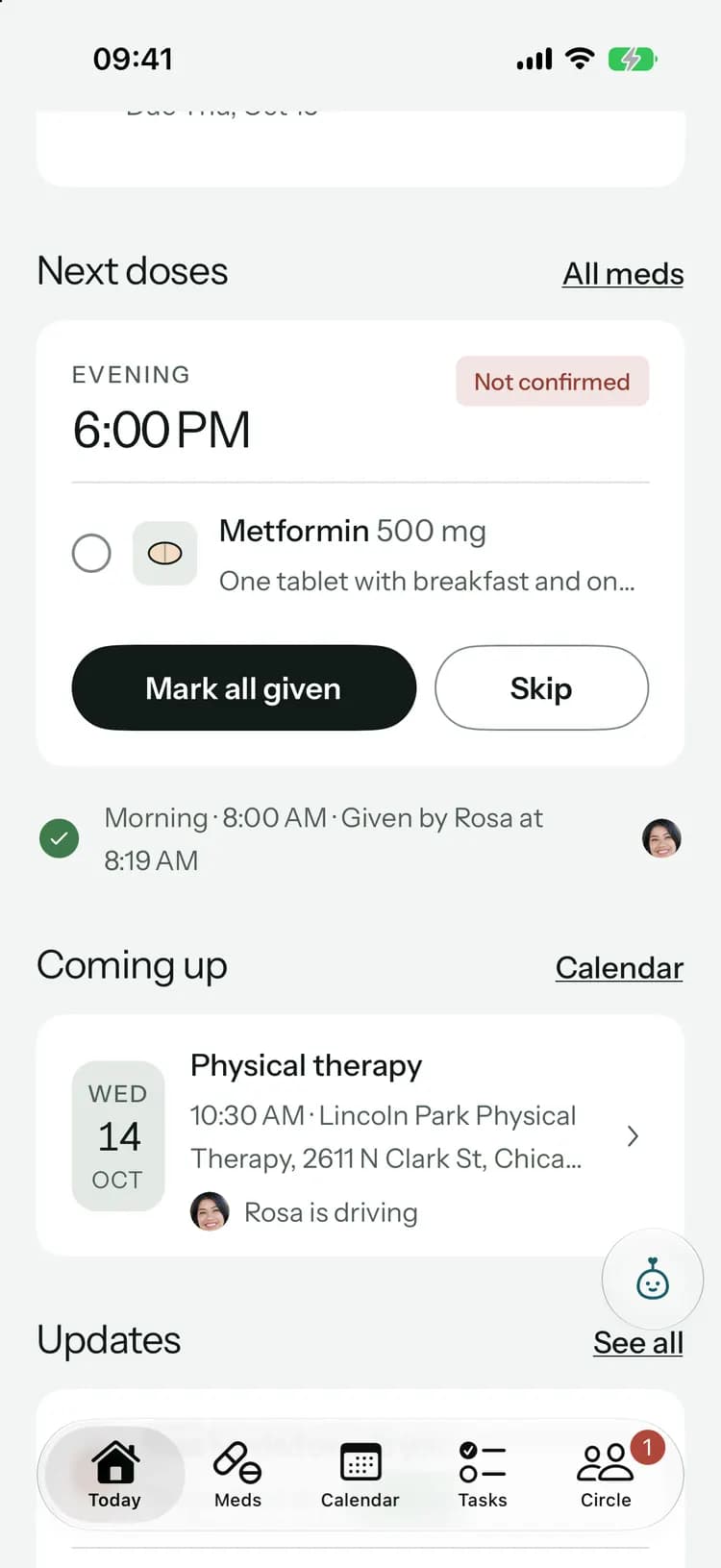
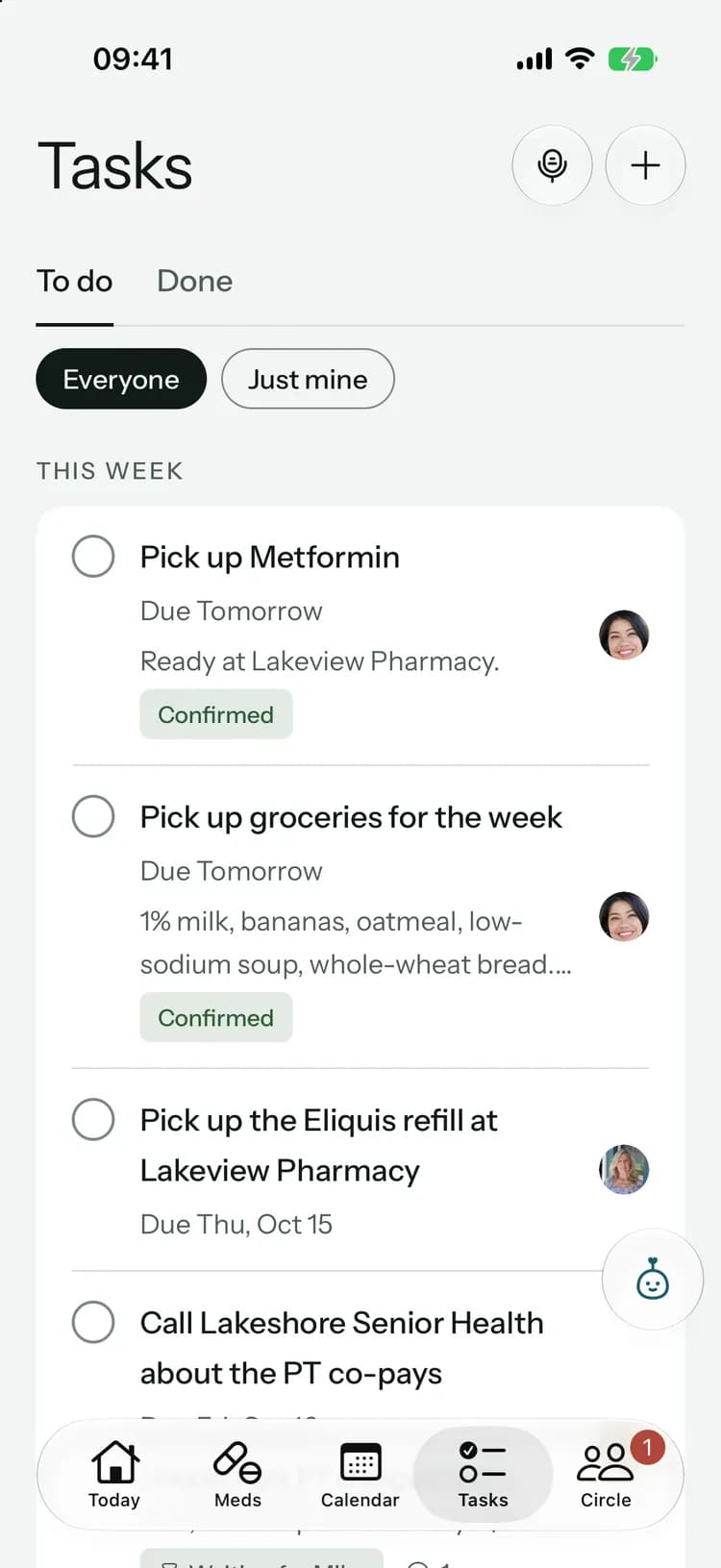
Today shows who is on now, the next doses, one-tap health logs and the tasks given to you. The care handbook says how they like things done, so there’s no notebook on the counter to decode.
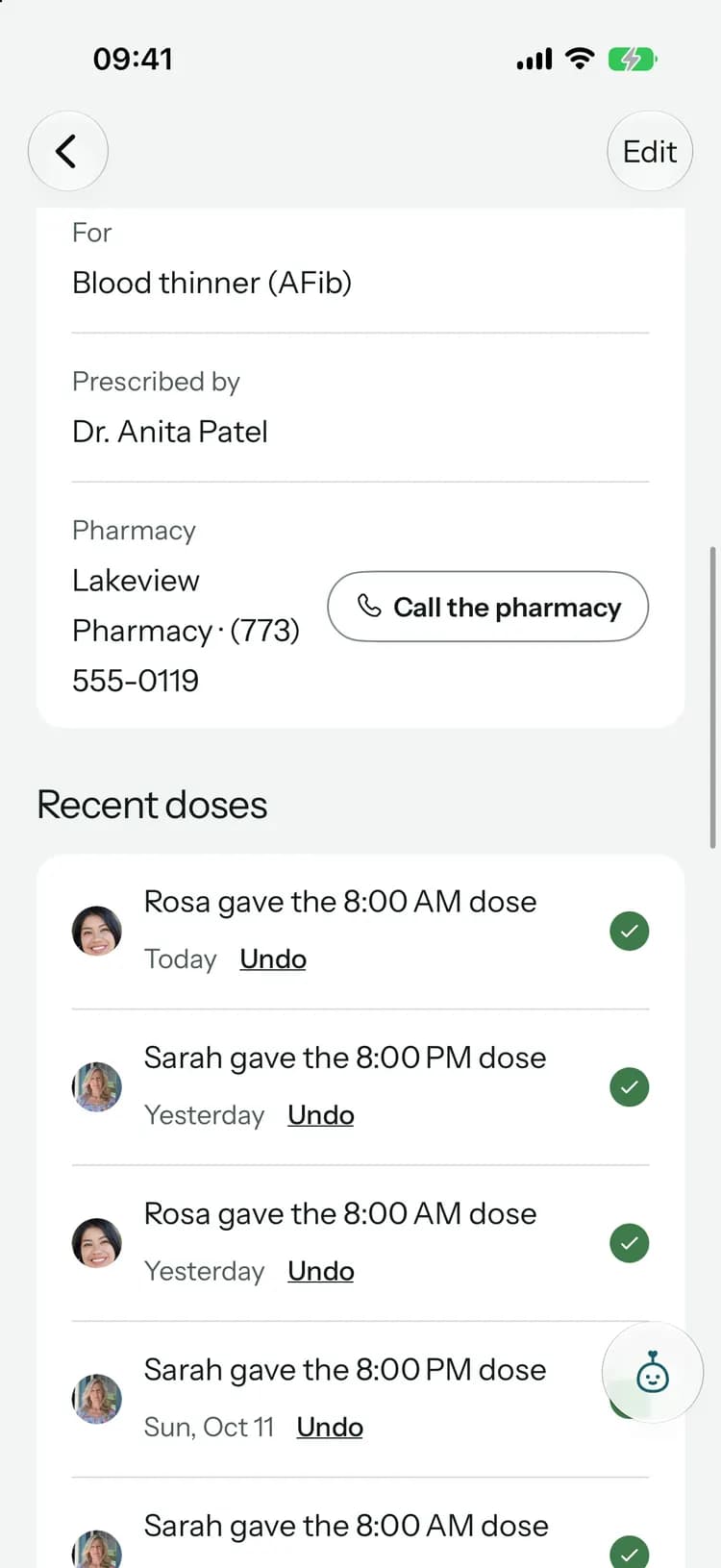
Log a dose once, and the family sees who gave it.
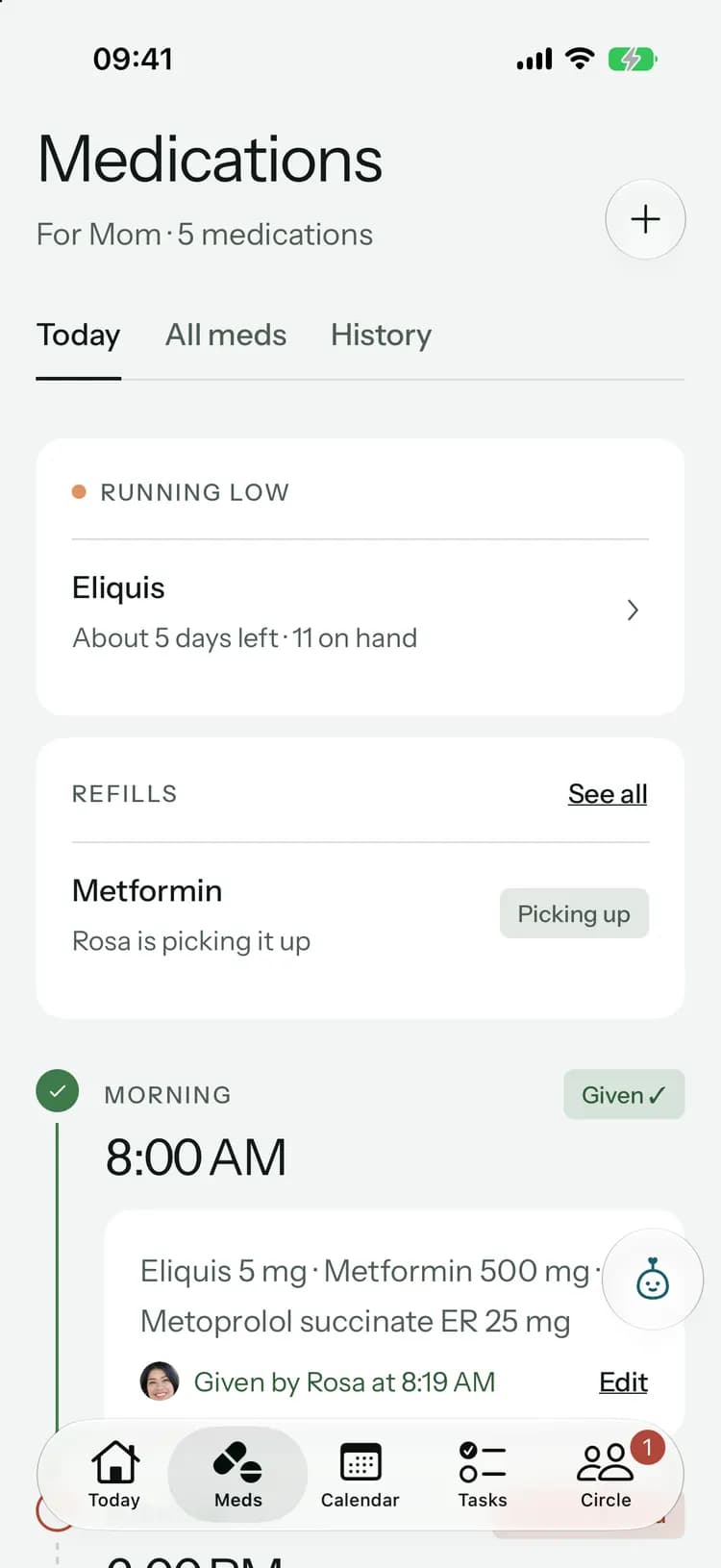
Mark each dose as given or skipped. If someone already gave it, you’ll see who and when, so nobody gives it twice.
- Made a mistake? Tap Undo right after.
- Every medicine’s details are there when you need them.
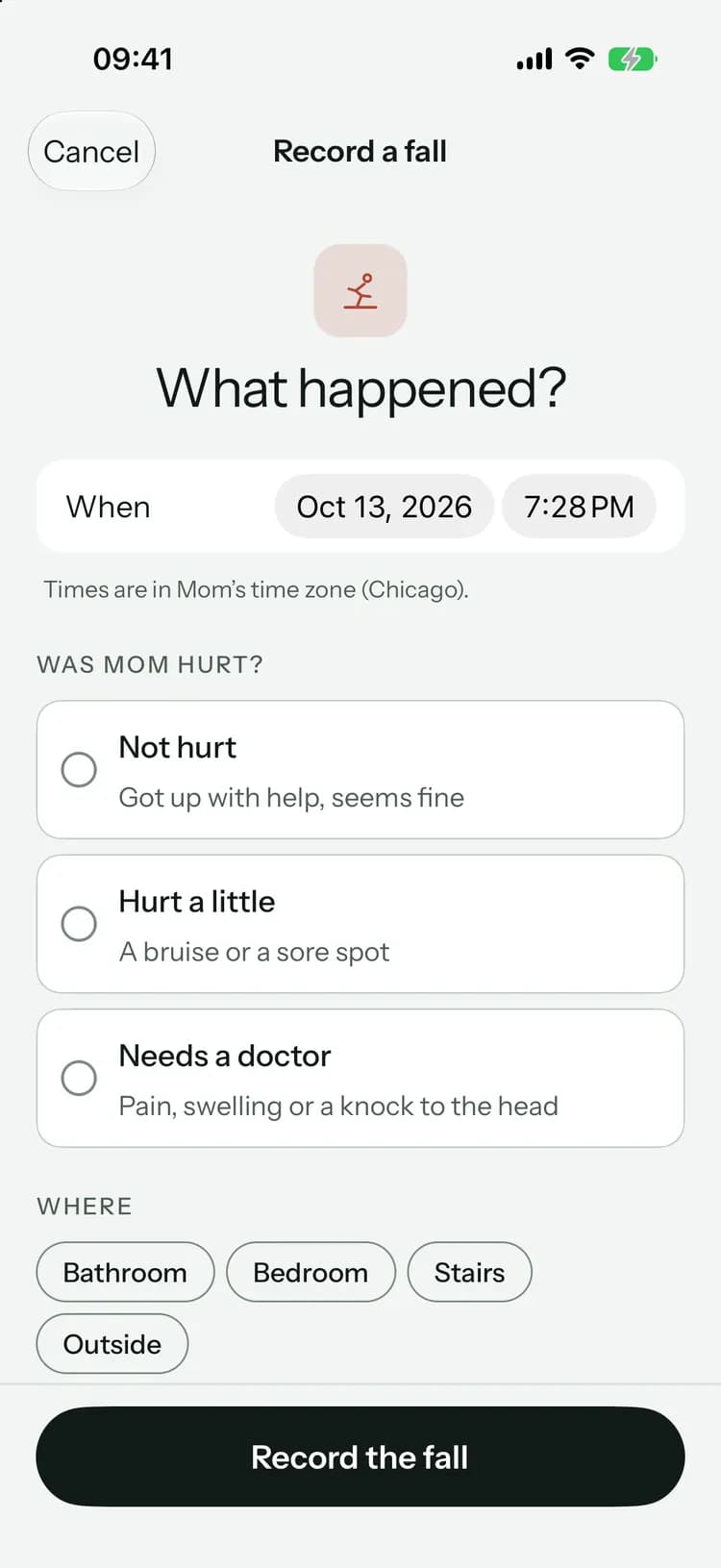
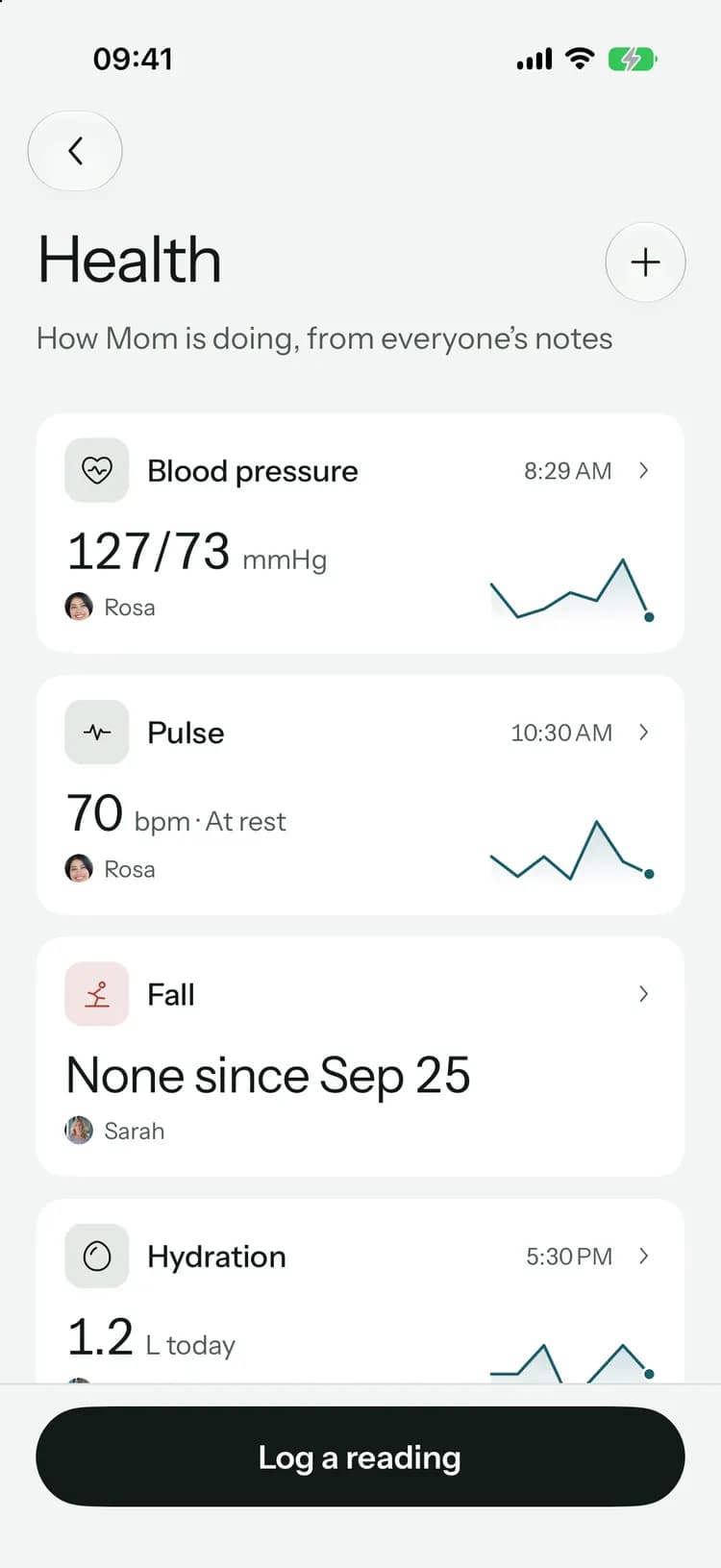
Log a reading or a fall in seconds.
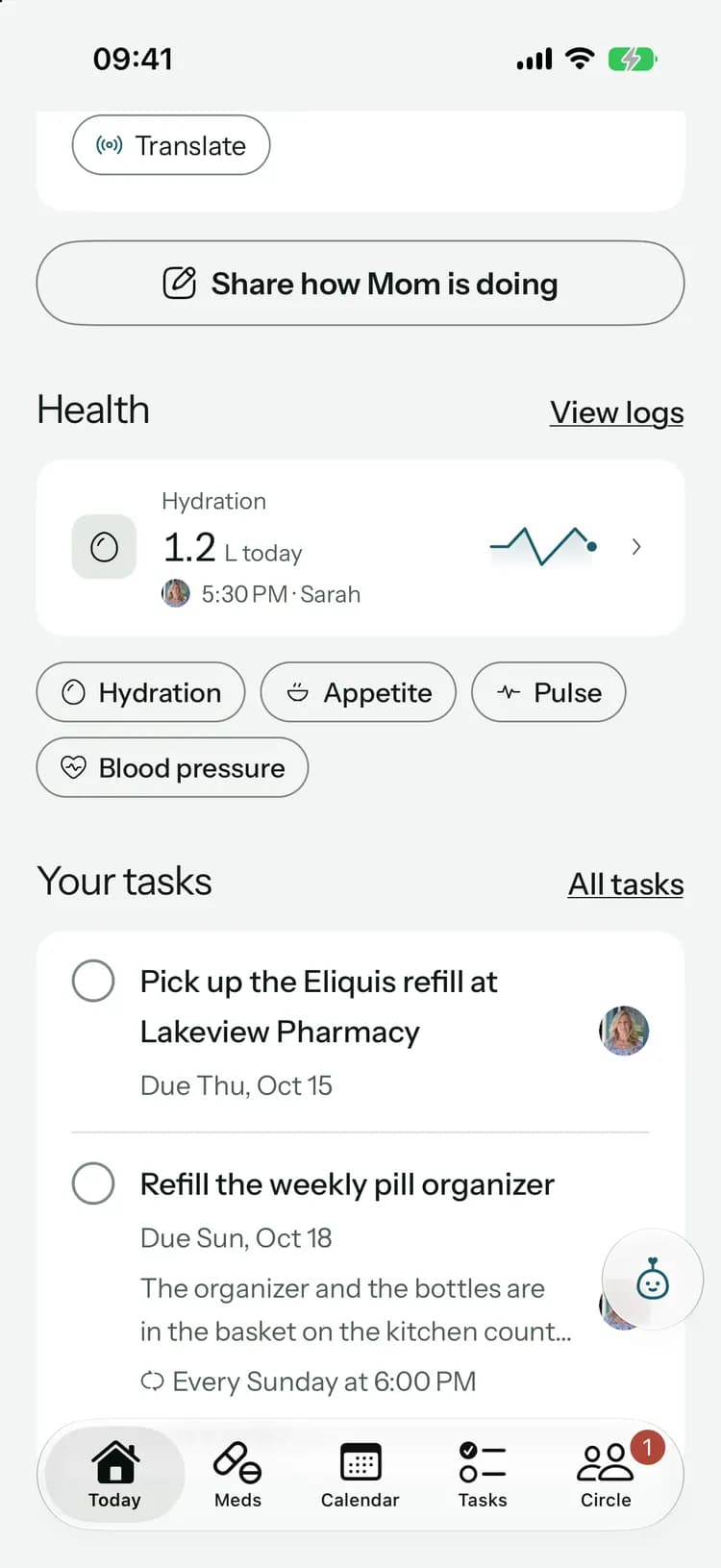
Blood pressure, pulse, blood sugar, temperature, oxygen, weight, pain, sleep, appetite, water and falls, each with a short form. Recording a fall tells the family right away.
- Each entry keeps the time and who recorded it.
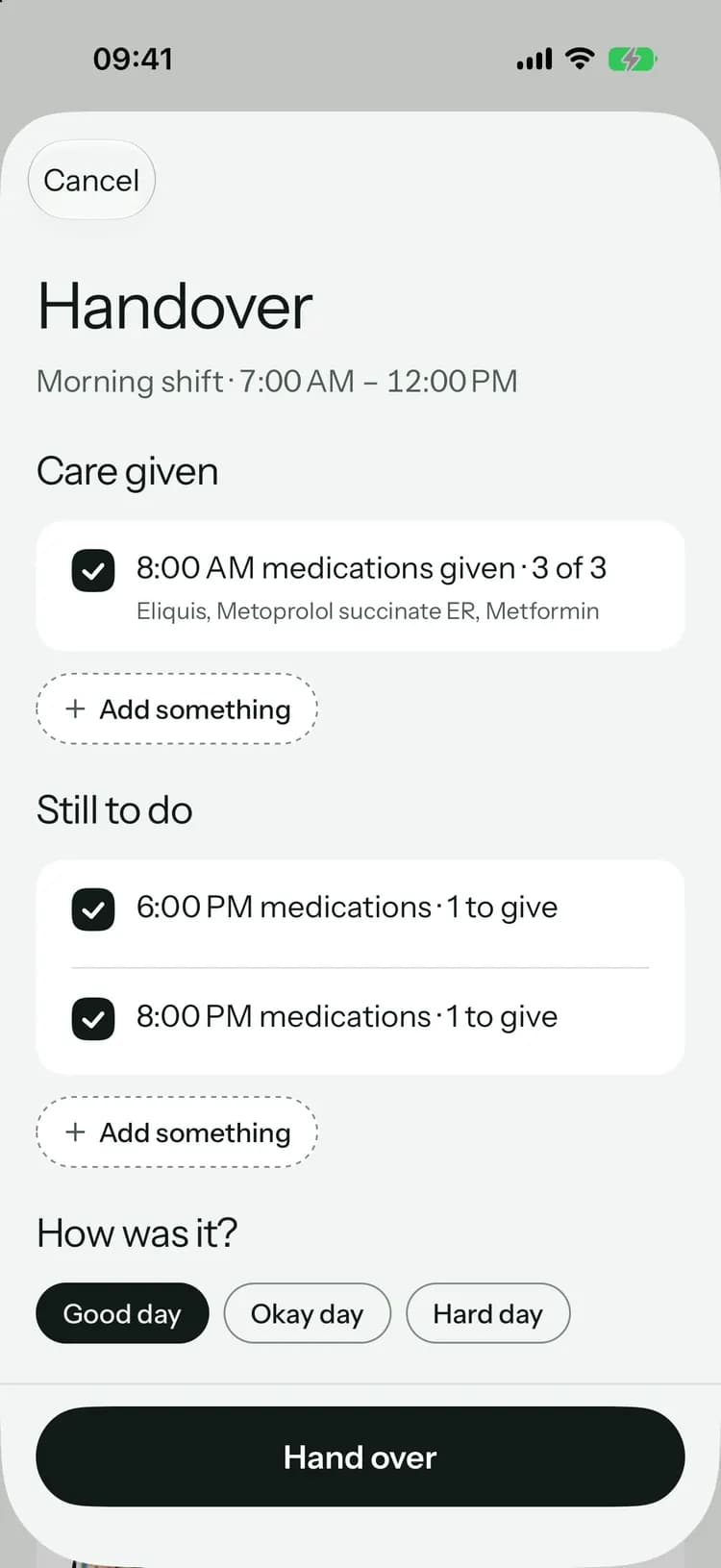
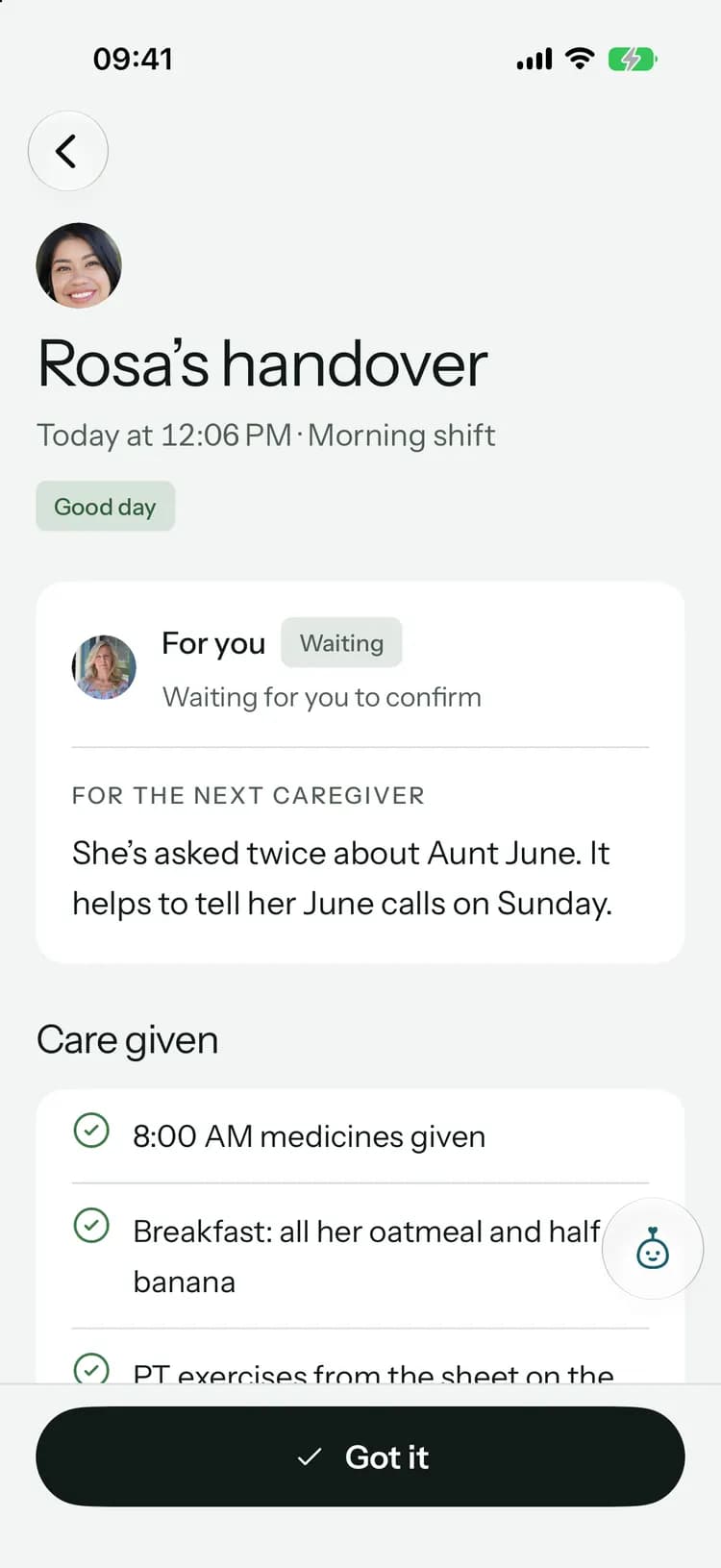
Hand over, and know it was read.
The doses you gave and tasks you finished are already listed, with what’s still to do. Add how the day went and a note for whoever is next, and they confirm with “Got it”.
What you can see, and what stays with the family.
The family invites you as a caregiver. That role is built around the work, and keeps the family’s private things private.
What you see and do
- See every medication, and log doses as given or skipped
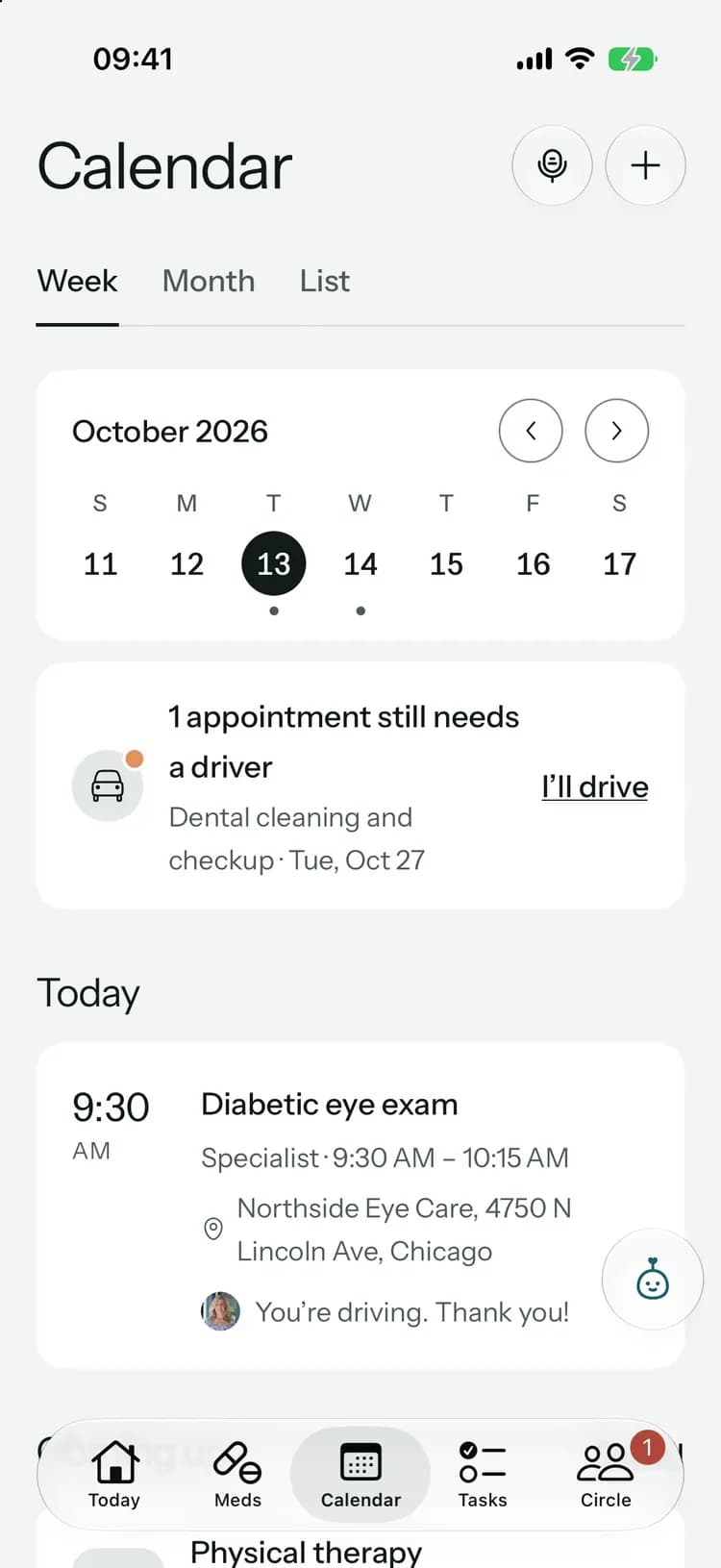
- See the calendar, and offer to drive
- Read and post updates shared with everyone, reply, react and tap “Got it”
- See the tasks given to you, accept or decline them, tick them off and reply
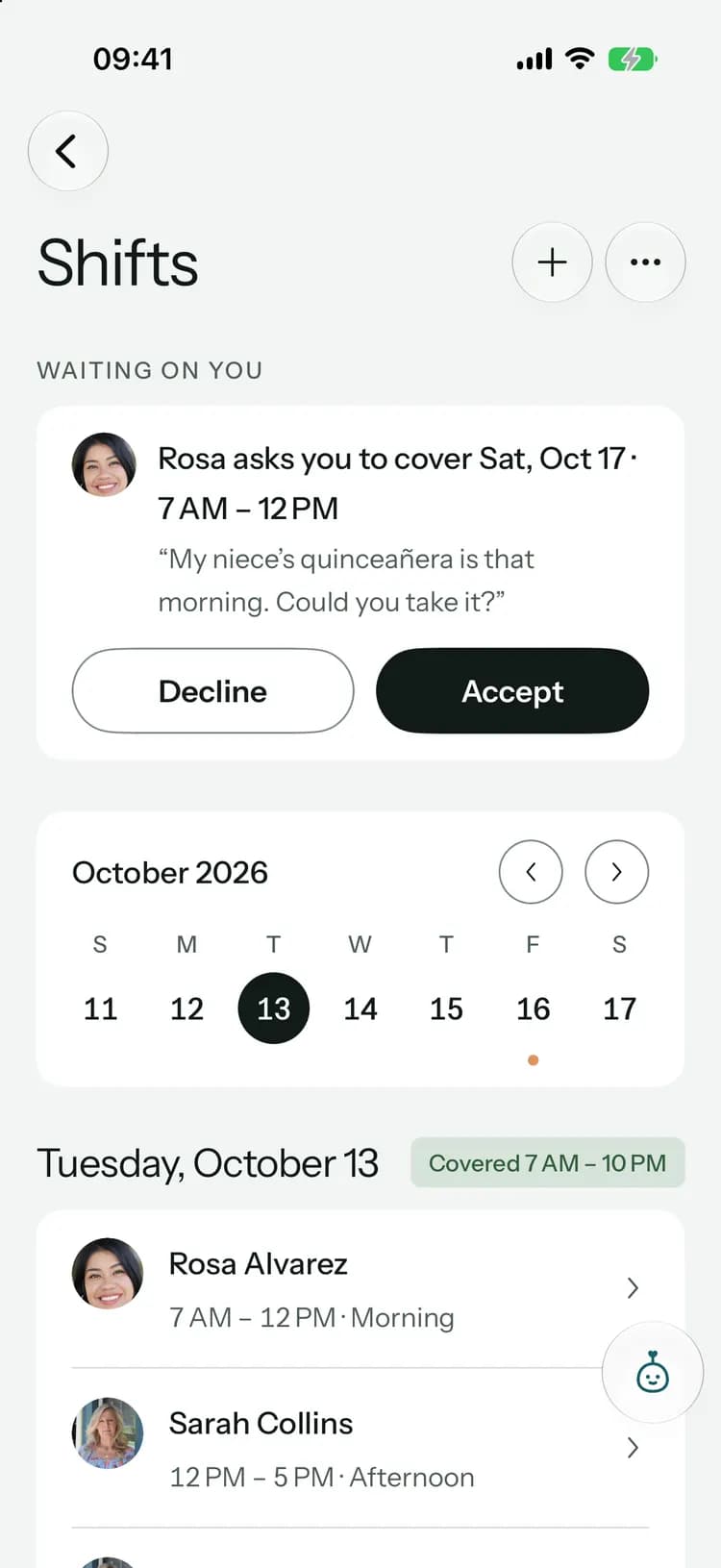
- See the shifts, take open ones, and ask for cover, a swap or a break
- Write and receive handovers, and read the care handbook
- Log readings and falls, and see the trends
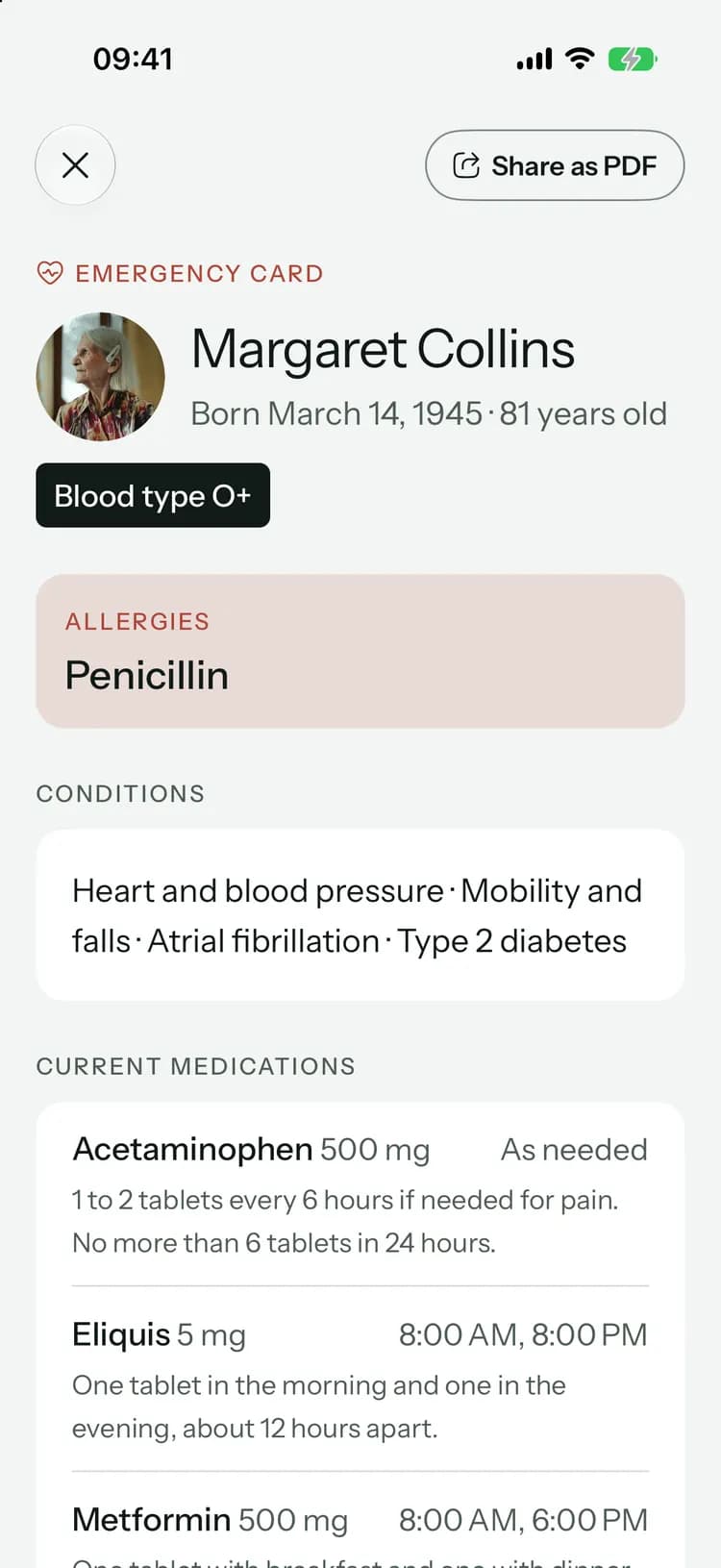
- Open the emergency card, even offline
- Chat with everyone, or one person directly
What stays with the family
- The document vault
- Shared expenses and receipts
- Family-only updates, tasks and chat
- Pip and the AI features
- Adding or changing medications, appointments, shifts, the handbook or the emergency card
How you join
- 1The family invites you as a caregiver, on any of their plans.
- 2Open the invite link, or tap “I have an invite code” and enter the code from the invite.
- 3Joining is free. Work with more than one family? Switch circles from the Today screen.
What you’ll use every shift.
The parts of Kinlovi a caregiver works with.
Common questions
Something else on your mind? Visit the help center

Ready when your shift starts.
Free to join. Ask the family to invite you as a caregiver.
Coming soon toApp StoreComing soon toGoogle Play
Launching soon. Tell me when it’s live