Skip to content

Look after the people you love, together.

The pills, the appointments, the shifts, the health notes and the costs, in one place everyone who helps can check.

Coming soon toApp StoreComing soon toGoogle Play

Launching soon. Tell me when it’s live

Free to start, and everyone you invite joins free. Also on the web.

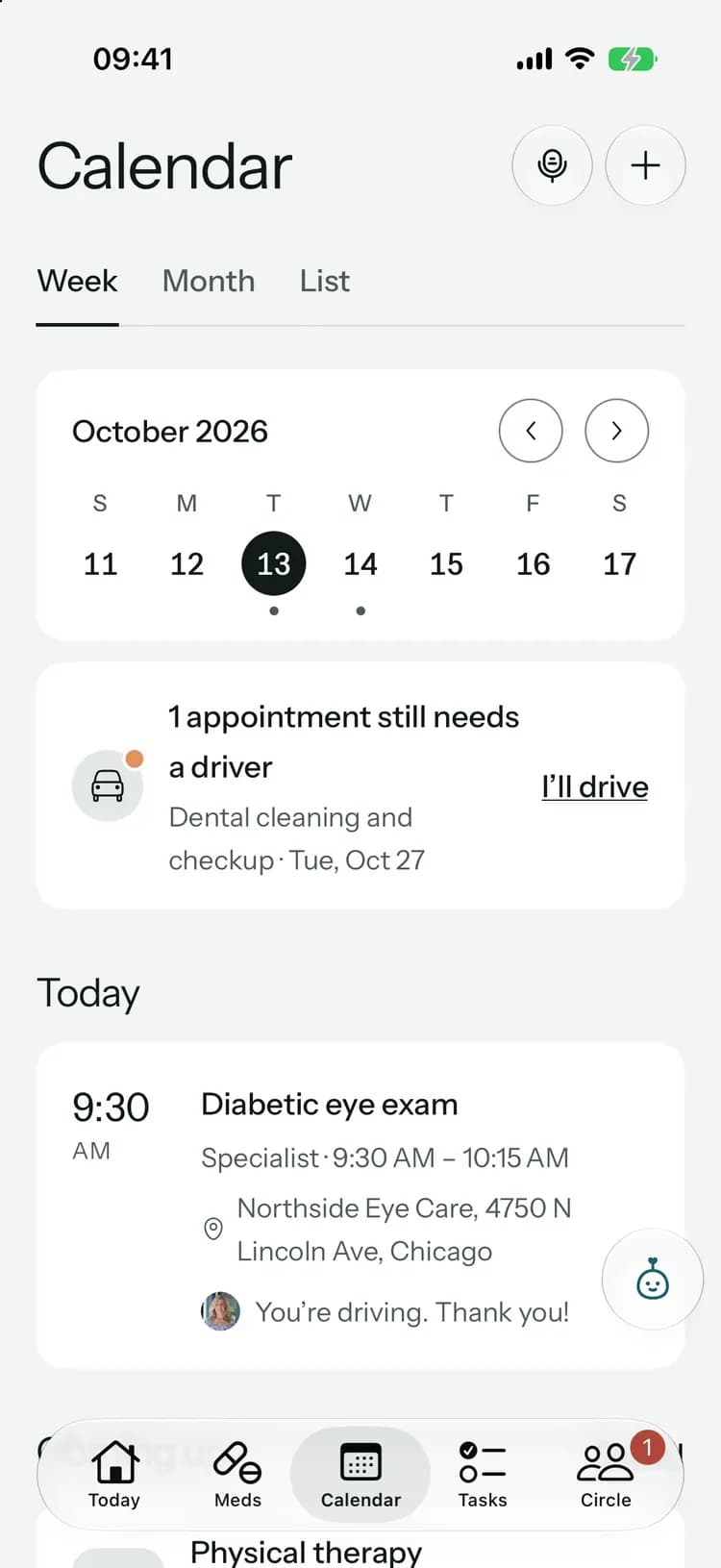
Calendar: week, with a ride still needed
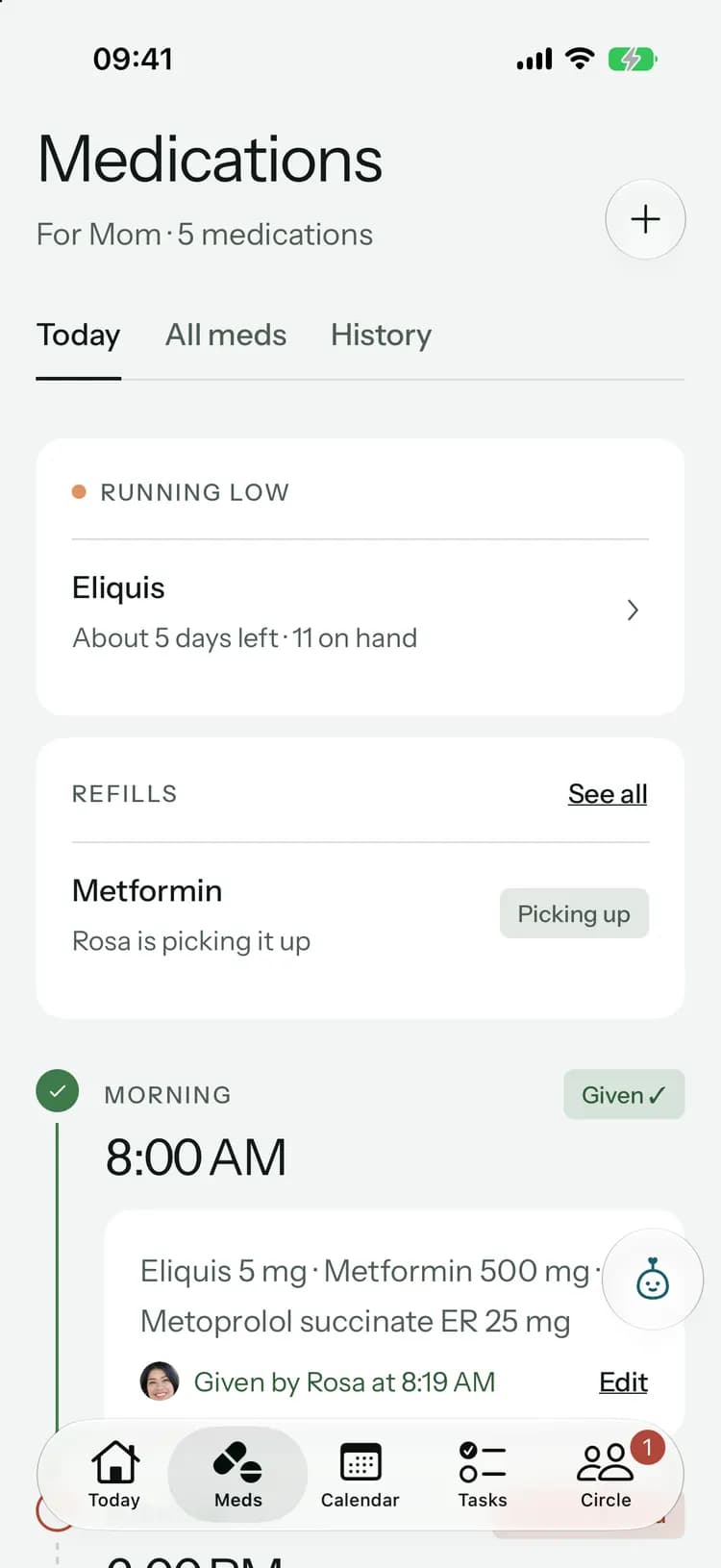
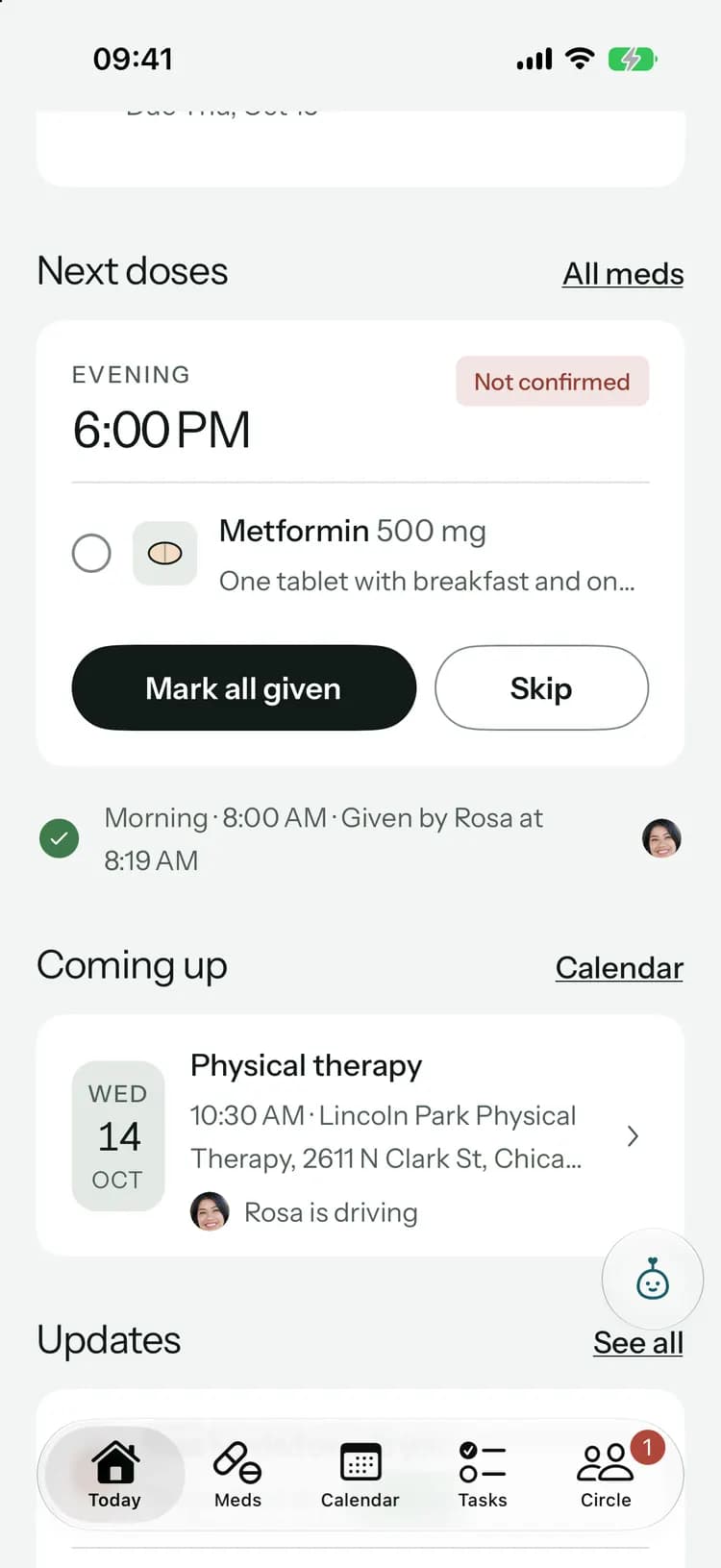
Medications: running low, a refill underway and today’s doses
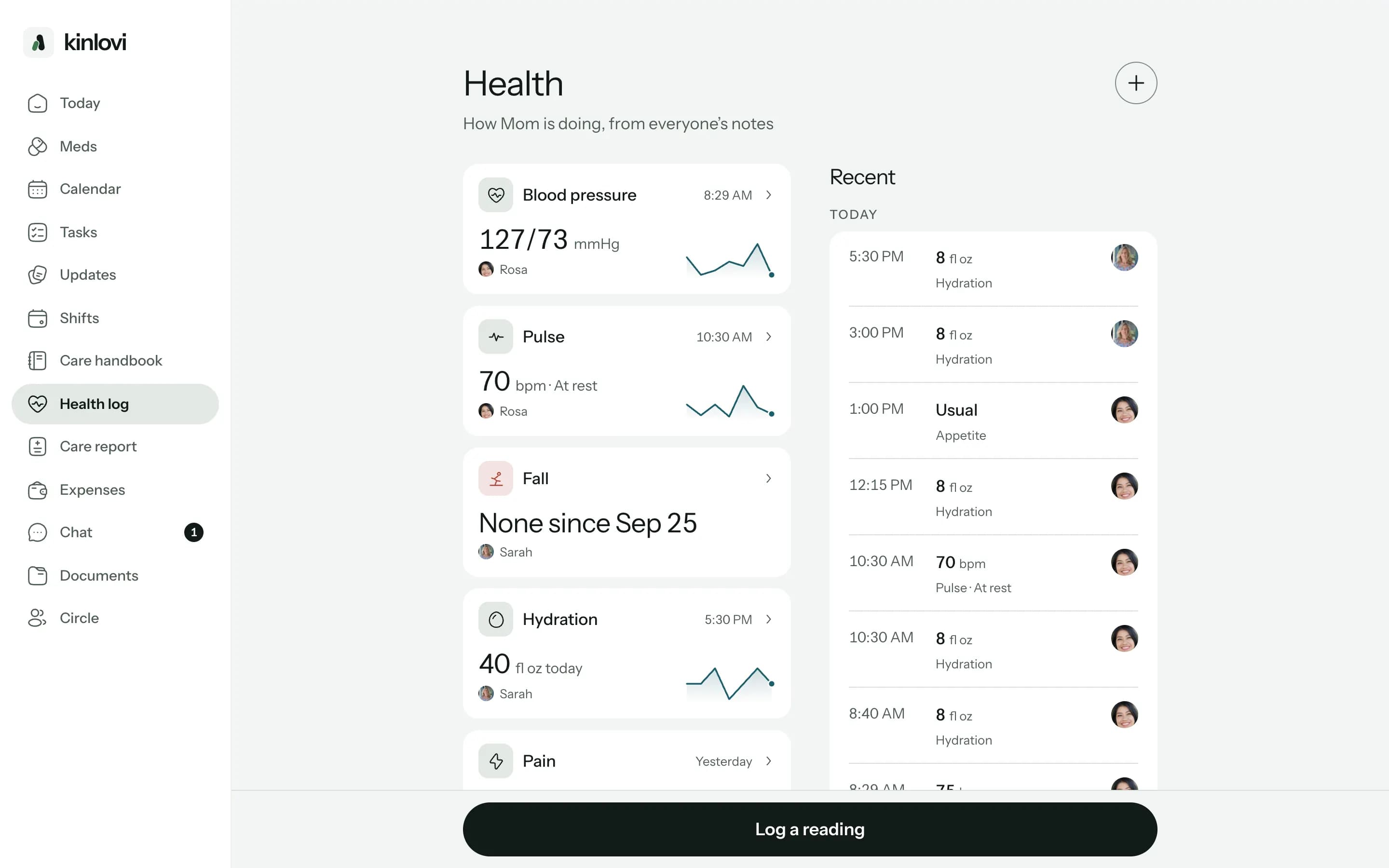
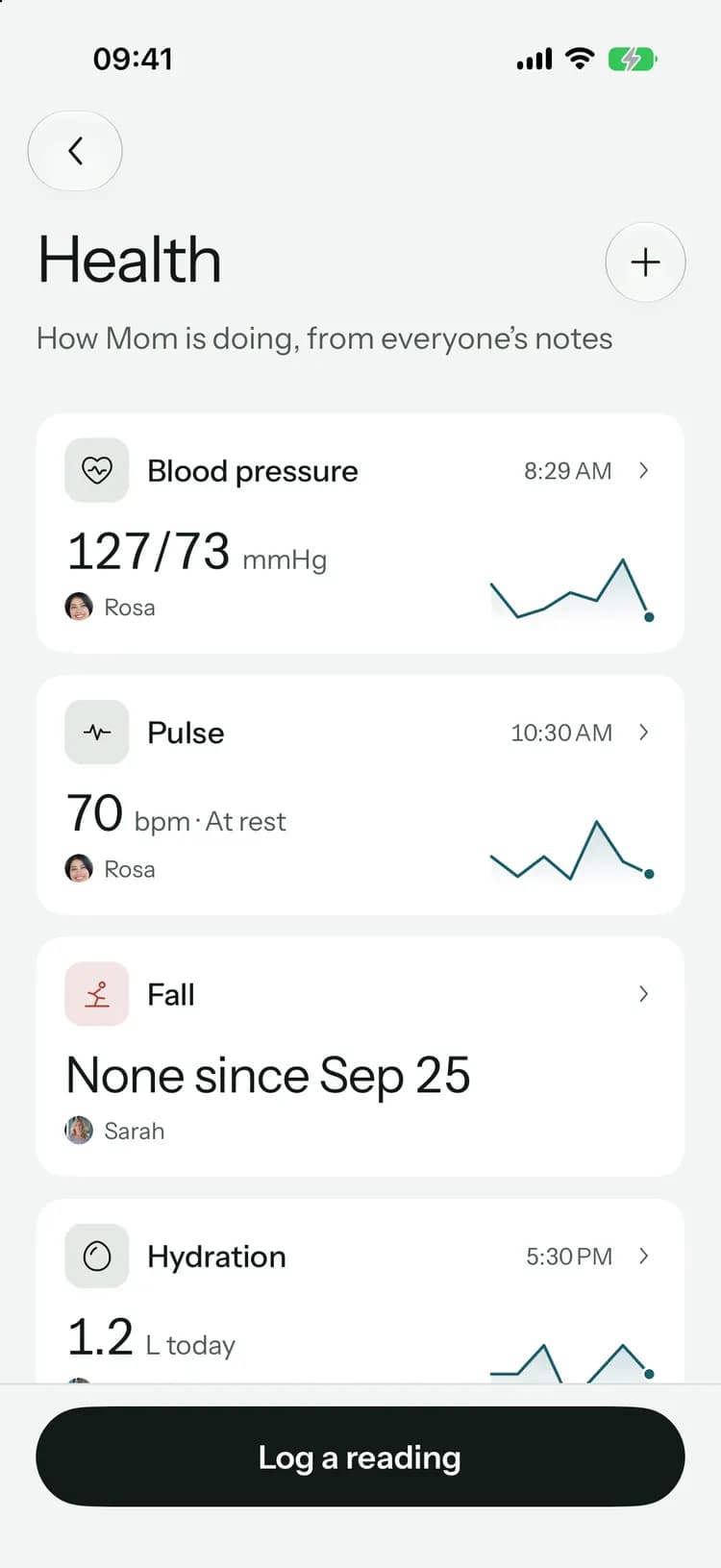
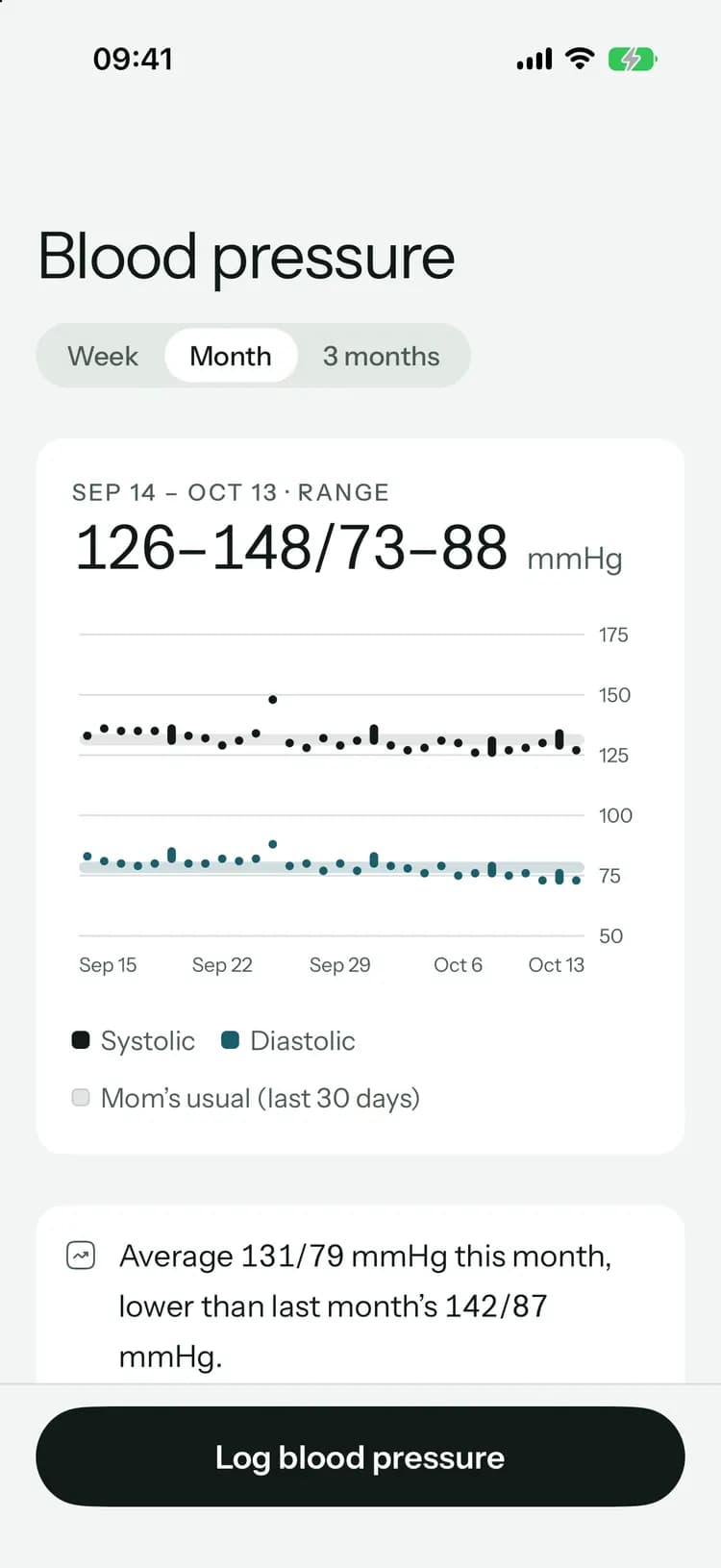
Health: every measure at a glance

From forty messages to one shared list.

Care runs on texts, calls and sticky notes until something slips. In Kinlovi, the dose, the ride and the doctor’s answer are written down once, where everyone can see them.

Mike

Did anyone give Mom her 8 PM pills??

Rosa

Who’s taking her to the dentist on the 26th?

What did Dr. Patel say about the blood test?

Mike

Can someone send the insurance card again

38 more messages

Today: next doses and what’s coming up

Everything about their care, shared.

Instead of five apps and a group chat, one place the whole family can check.

Medications: running low, a refill underway and today’s doses

Every dose is recorded once, and everyone can see who gave it. Kinlovi warns you a few days before a refill runs out.

More about medications

Tell Pip how the visit went, and it writes it up for the family.

Tap +, then Say it. Talk the way you would to your brother, and Pip turns it into the visit notes and the next steps for you to check.

You say

0:14
“Just back from Dr. Patel. He’s happy with her blood pressure log and there are no changes to her meds. She needs a fasting blood test before the follow-up in six weeks; Mike can take her. I’ll send the office the log.”

Sarah, in the car after the visit

Pip drafts

You check, then share
Pip’s recap · Cardiology follow-up

Dr. Patel was pleased with Maggie’s steady heart rate and her blood pressure log. There are no medicine changes.

Shared with the family

Book the fasting blood test

Before the next visit

M

Send Dr. Patel’s office the blood pressure log

This week

S

Two tasks, each with a name on it

Say it fills in the right form:

  • Visit notes
  • A health reading
  • A task
  • An appointment
  • A purchase
  • An update

Voice and Pip come with Family+. More about quick capture

Ask anything about their care.

Pip knows the visits, notes, tasks and costs your family has saved. Ask in your own words; it answers with sources and drafts the next step.

Pip

Cardiology follow-up with Dr. Patel

What did Dr. Patel say on October 2?

Here’s what Sarah’s notes from the visit with Dr. Patel on October 2 say:

  • Her heart rate has been steady since the hospital, between 68 and 74.
  • Dr. Patel was pleased with the blood pressure log. Mornings are mostly in the 120s and 130s.
  • No medicine changes: Eliquis 5 mg twice a day and Metoprolol 25 mg in the morning stay the same.
  • Next: a fasting blood test, then a follow-up in six weeks.

The blood test is on the calendar for Monday, October 19 at 8:30 AM with Mike driving.

  • Sarah’s visit notes · Oct 2
  • Cardiology follow-up with Dr. Patel
  • Fasting blood test · Mon, Oct 19
  • Follow-up with Dr. Patel · Nov 13
Ask Pip about Mom…
  • Answers with sourcesEvery answer shows the notes, visits and tasks it used.
  • Nothing changes until you say soPip drafts tasks; you add them in one tap, and can undo.
  • Only what your family recordedPip isn’t a doctor and doesn’t guess. It works from your circle’s records.
Meet Pip

Nothing falls between shifts.

Family and paid caregivers taking turns, with a clear yes from everyone and a proper handover at every change.

Today: who is with Mom now and who’s next

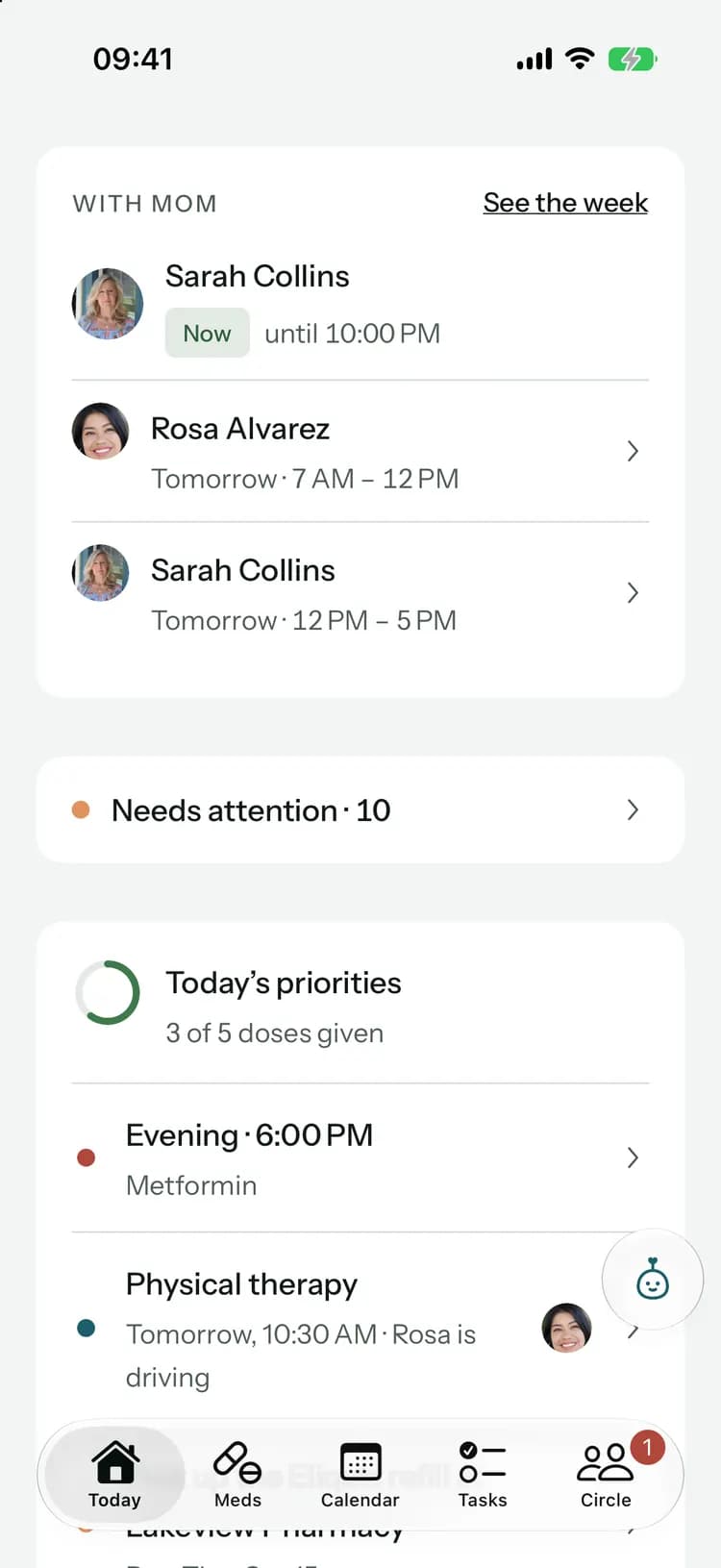
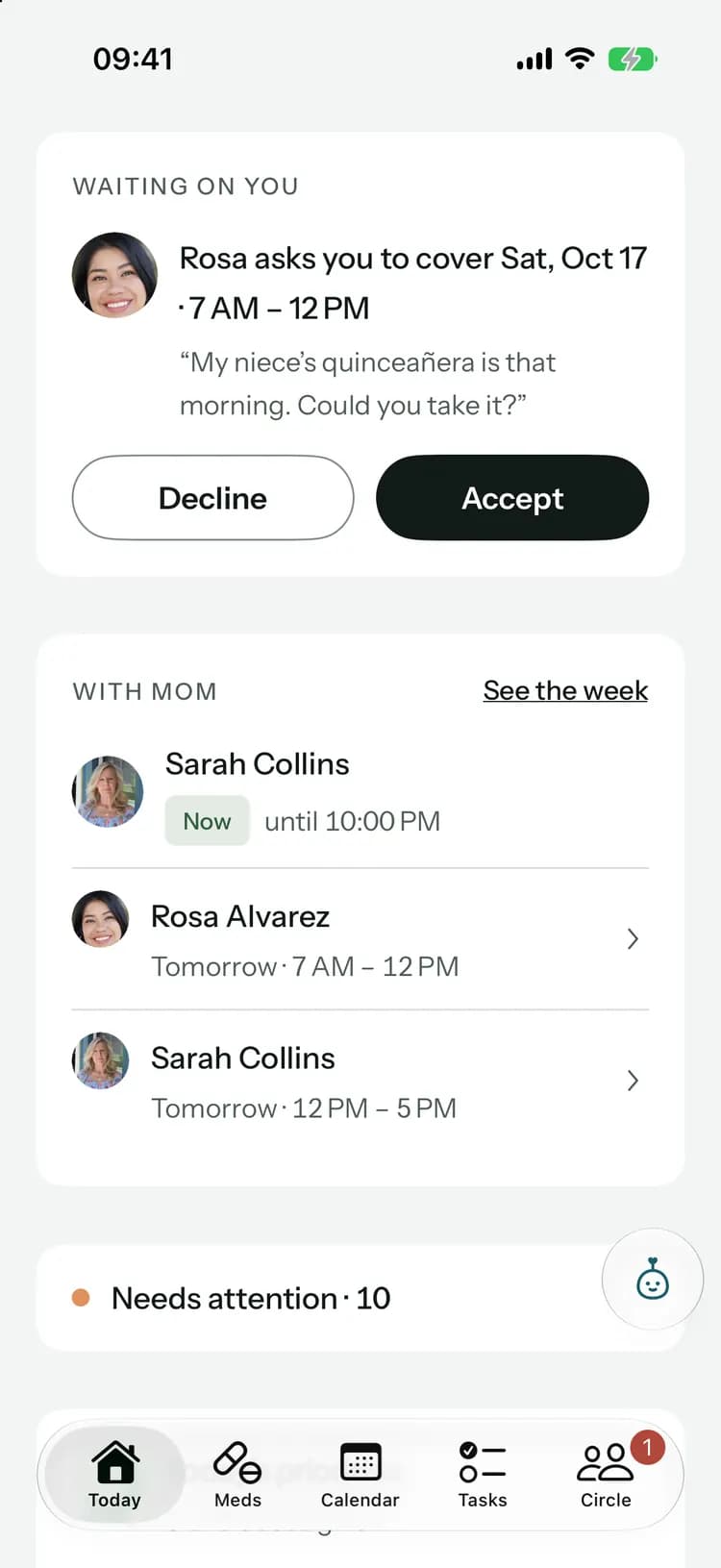
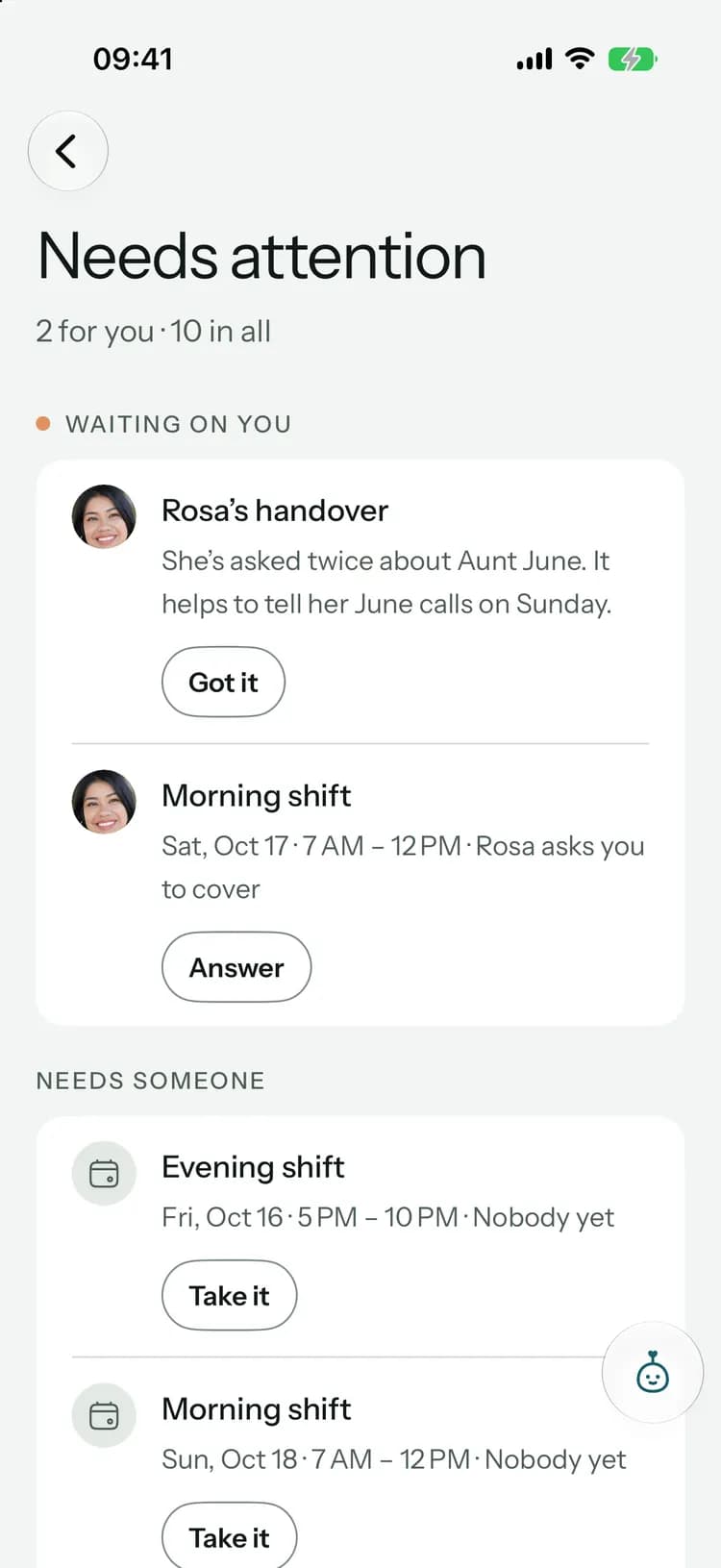
Today shows who is with them now and who’s next. Any hours nobody has stand out, with “Take it” right there.

More about shifts

When an agency helps, it works in Kinlovi too.

Caregivers and nurses from a home care agency see the shifts, doses and handovers you approve, and nothing else. You choose each person by name, and you can end it in one tap.

Harbor Home Care

Waiting for your answer
  • Maya Okafor

    Coordinator

    • Plans appointments and drives, not visit notes
    • Works and plans shifts
    • Reads and writes handovers
  • Daniel Reyes

    Caregiver

    • Medications and doses
    • Records health readings
    • Reads and writes care notes

You approve every person

The agency names who will help and what each one can see or change. Nothing is shared until you say yes.
Working forHarbor Home Care

On shift now · 2 hrs 40 min left

Maggie7:00 AM – 12:00 PM

Morning · 8:00 AM

Due
  • Lisinopril 10 mg1 tablet

Their shift shows up on yours

Doses they give and handovers they write reach the family as they happen, with the agency’s name on them.

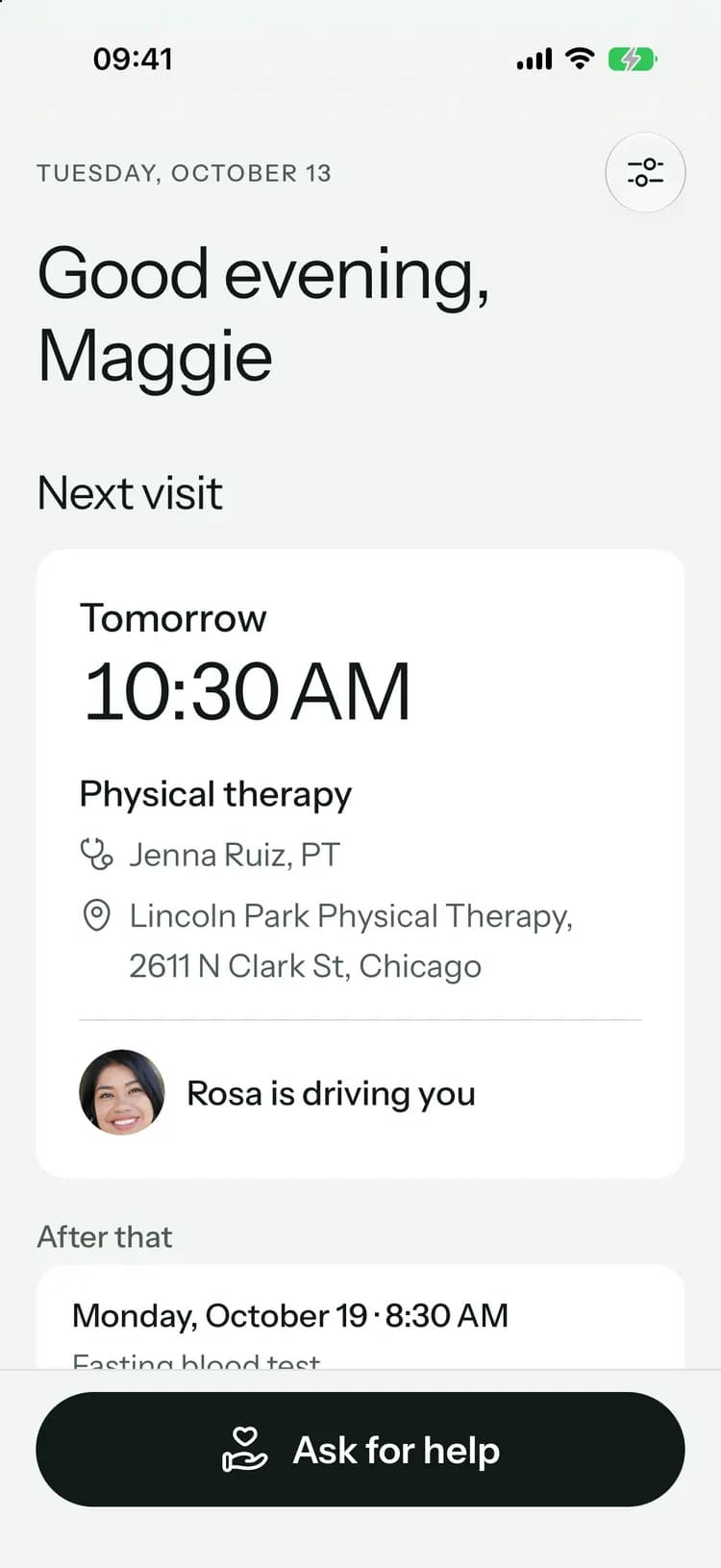
A simple screen, just for Mom.

Her next visit in big type, a check-in each day, and one button to ask the family for help. Set it up with a code on her phone, tablet or computer. No account, no password.
  • “How are you today?” in one tap, and the family sees she checked in.
  • Call me, come over or an errand: everyone hears, and she sees who’s on it.
  • Never shows medicines, notes, documents, chat or money.
More about the simple view
Mom’s simple view: Good evening, Maggie, and her next visit

Updates, tasks, chat and the rest.

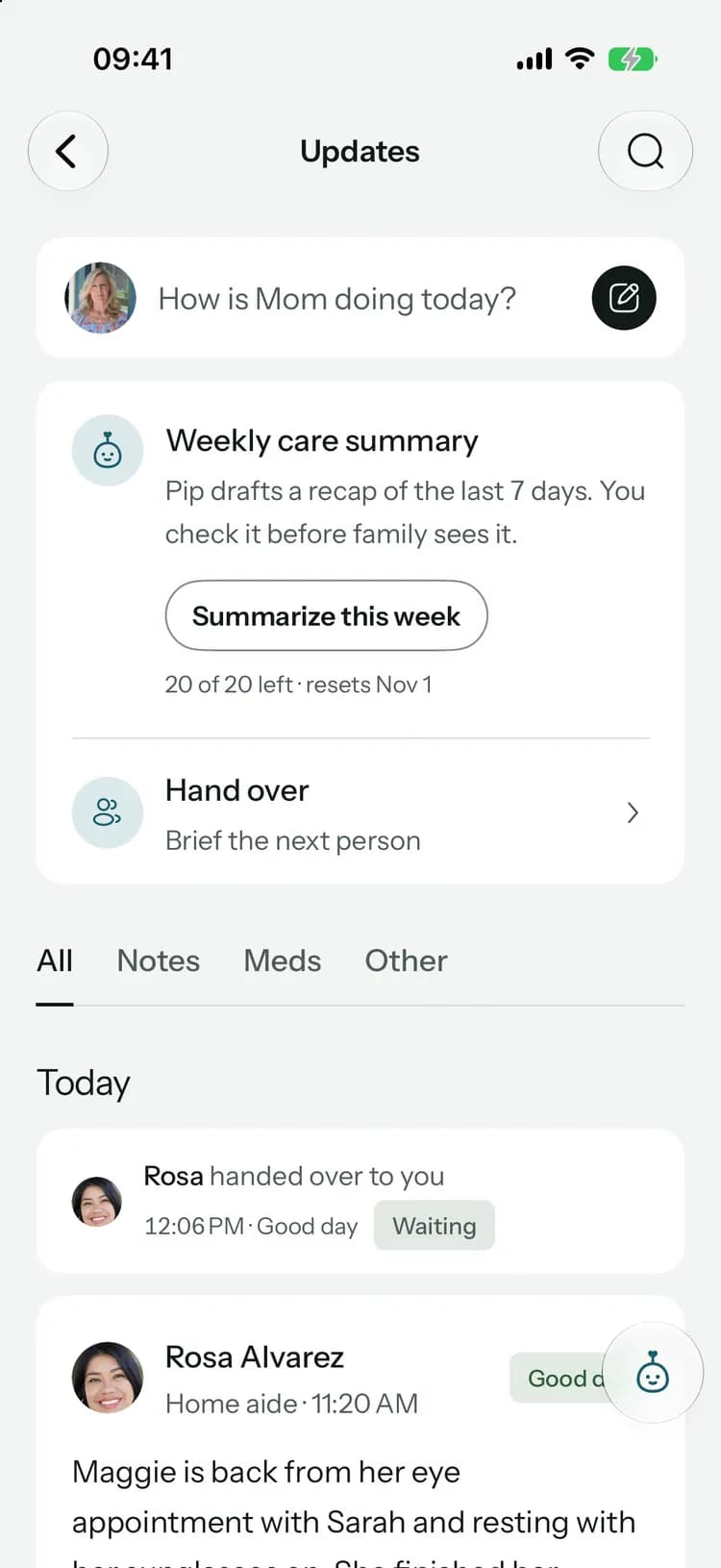
Updates the whole family reads

Post how the day went. React, reply, and ask for a “Got it” when it matters.

Updates: weekly summary, hand over and search

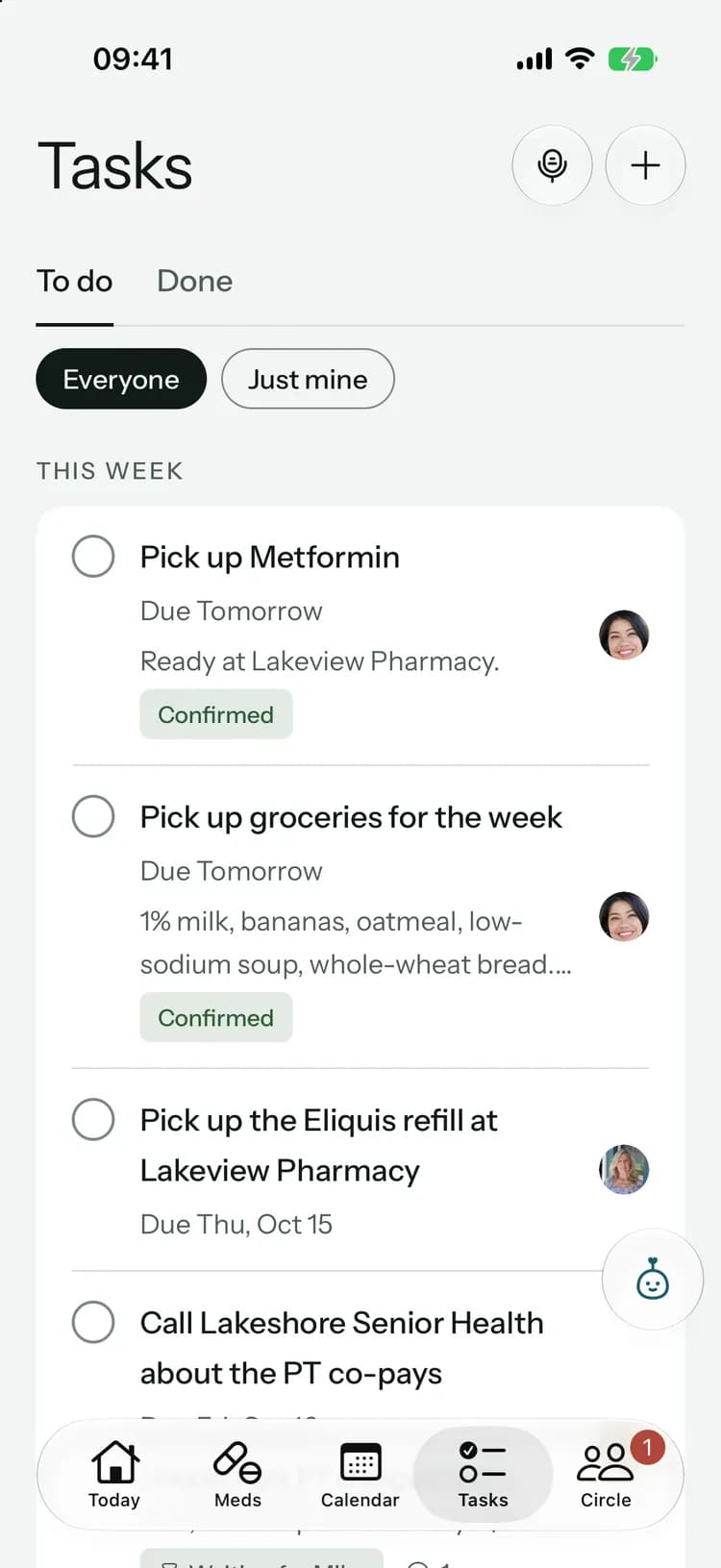
Tasks with a name on them

Groceries, refills, calls to the insurance. Everyone sees who’s on it.

Tasks: everyone’s to-dos

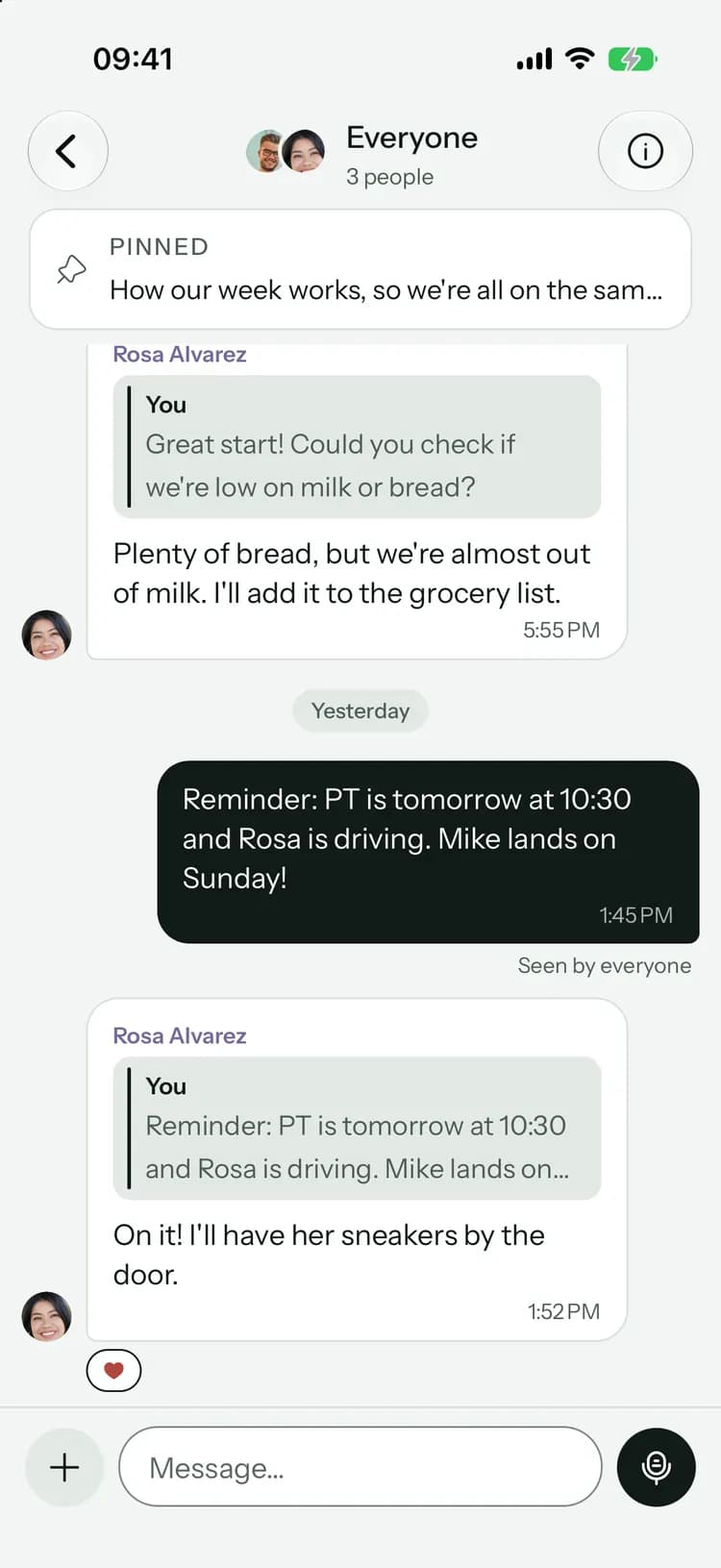
Chat, next to the care

A thread for everyone, one for family only, and direct messages.

Everyone: a pinned message and replies

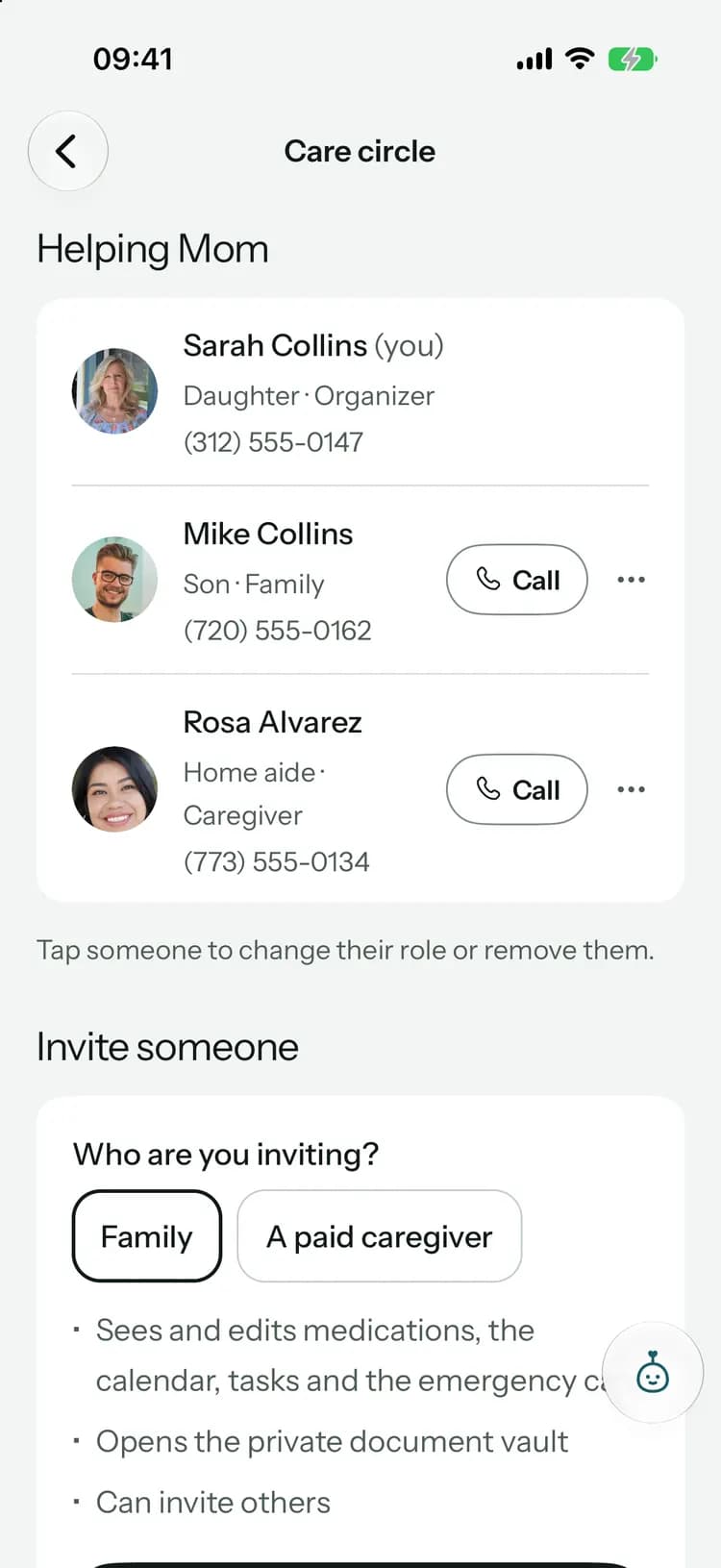
A role for everyone

Family sees everything. Paid caregivers see what their shift needs.

The care circle, with photos and roles

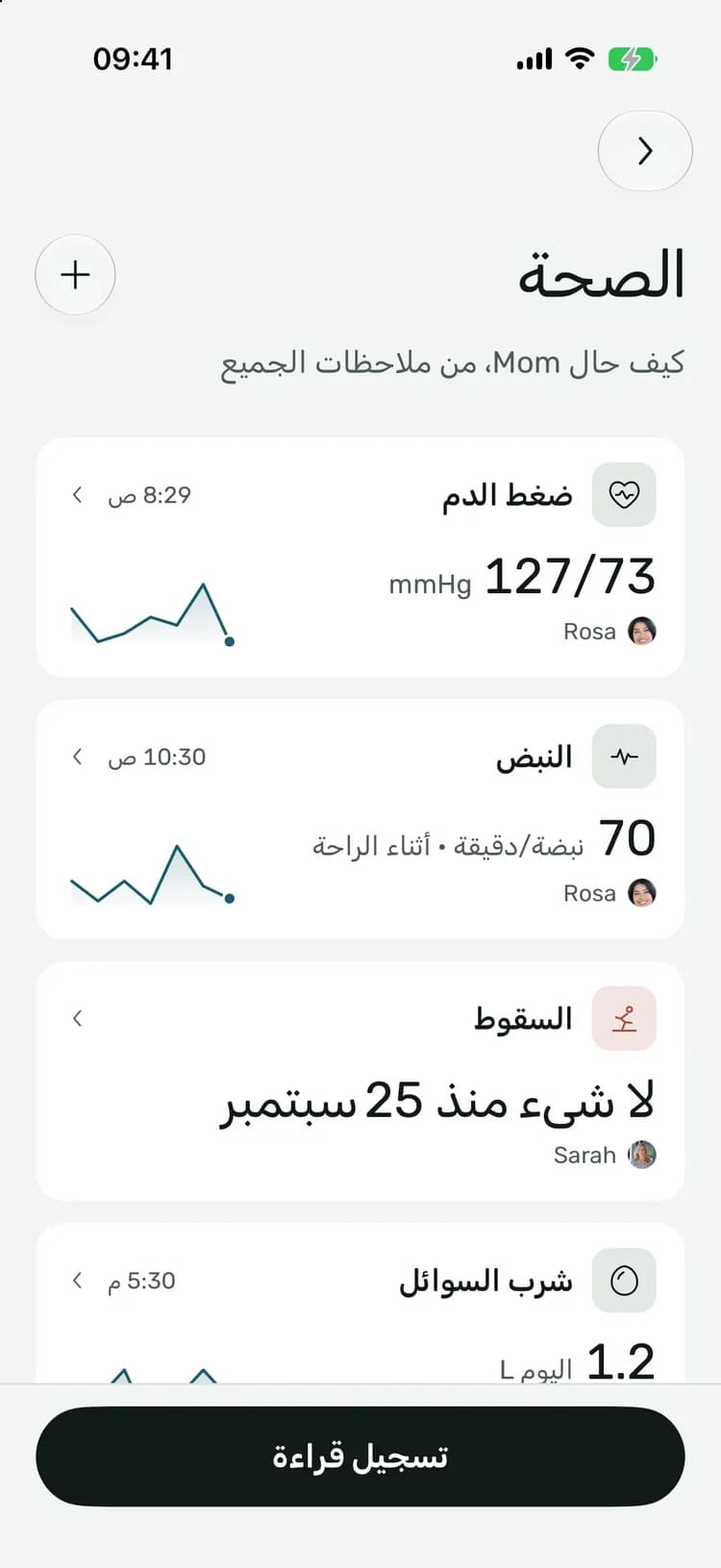
In their language

The apps come in 14 languages, right to left included. Each person picks their own.

Health in Arabic

Up next, on your Home Screen

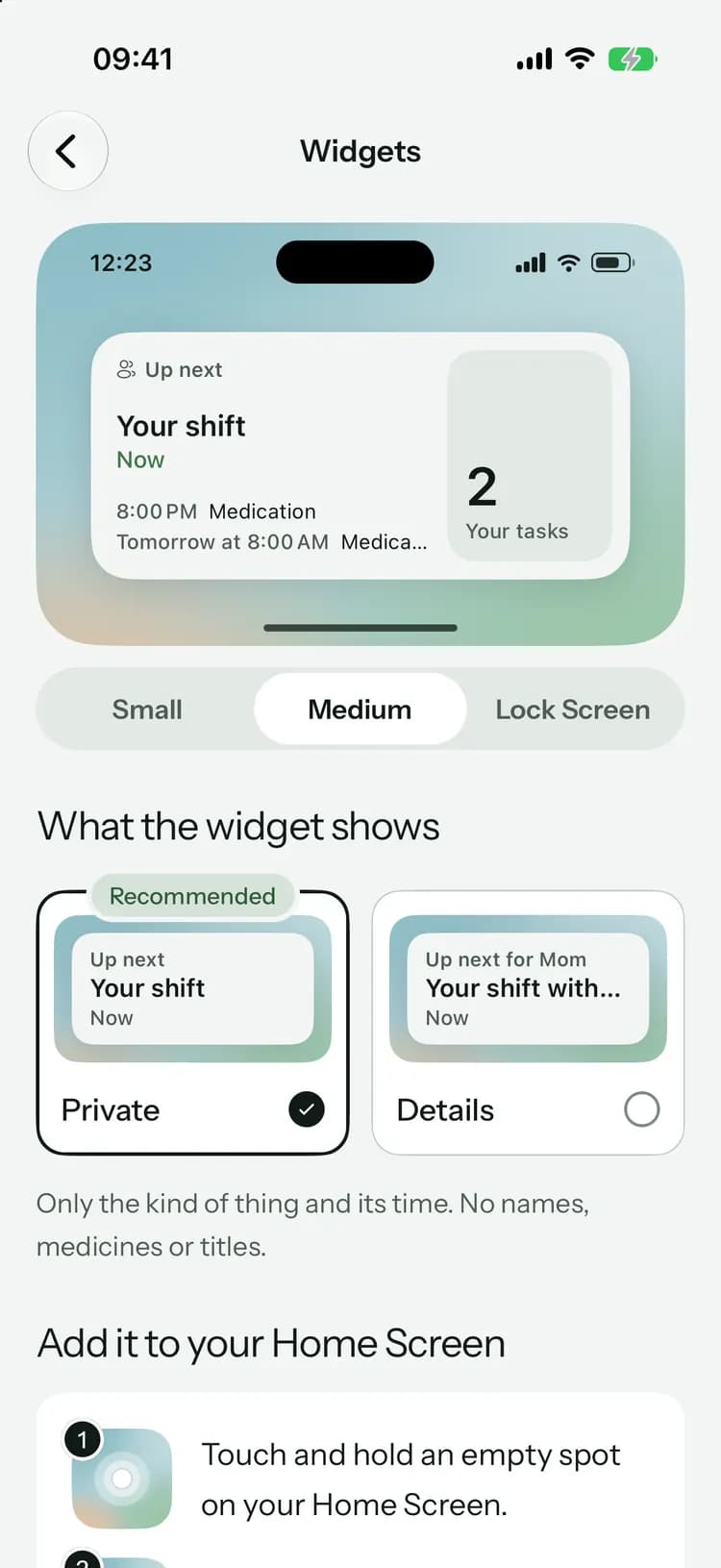
A widget for the next dose, visit or shift and how many tasks are yours. Private by default: no names or medicines.

Widgets: a preview of Up next, private by default

Locked with Face ID

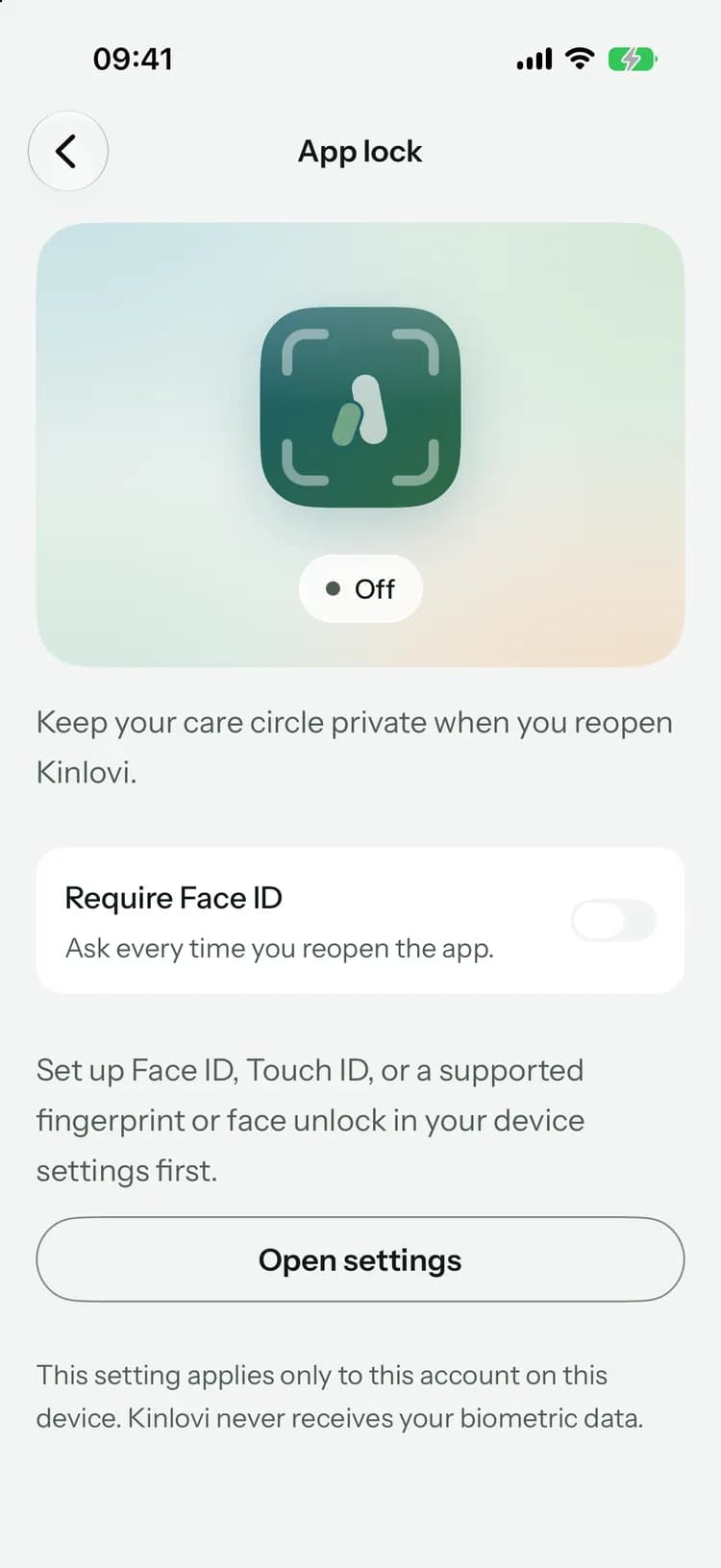
Turn on app lock and Kinlovi asks for Face ID, Touch ID or your fingerprint every time you reopen it.

App lock: require Face ID when reopening Kinlovi

On the go, or at your desk.

Log a reading at the kitchen table. Plan next week on a big screen at work. Everything syncs the moment it’s saved.

About the web app

Whoever you are in the circle.

Stop being the family’s switchboard.

  • See who is with Mom this week, and which hours still need someone.
  • Hand off a task, a ride or a shift, and get a clear yes or no.
  • A weekly summary instead of a hundred texts.
Kinlovi for families
Tasks: everyone’s to-dos

Be there, from a thousand miles away.

  • Read how the day went without calling five times.
  • Take the jobs you can do from anywhere: bills, calls, bookings.
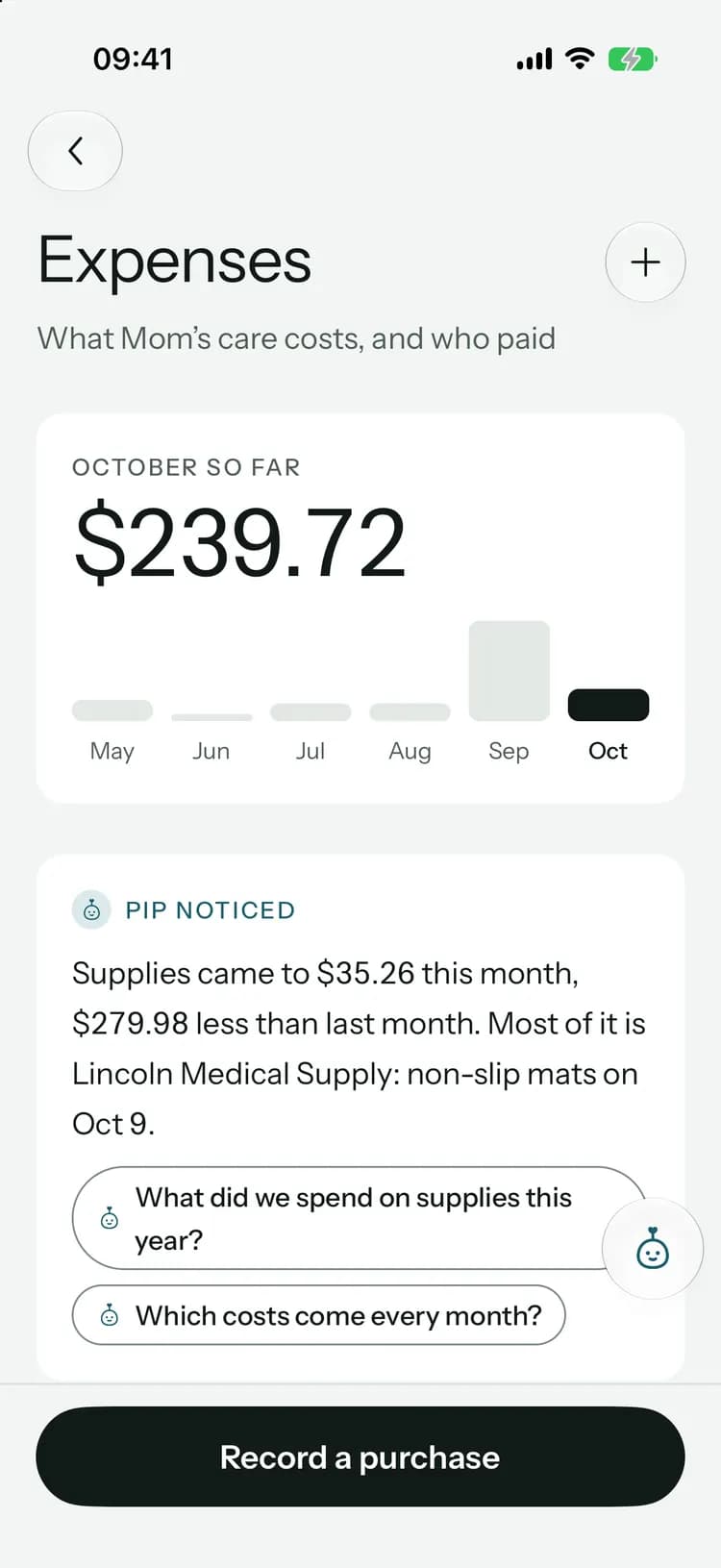
  • Pay your share of the costs without a spreadsheet.
Kinlovi for long-distance family
Updates: weekly summary, hand over and search

Everything for the shift, on one screen.

  • Your shifts, today’s doses and tasks, ready when you arrive.
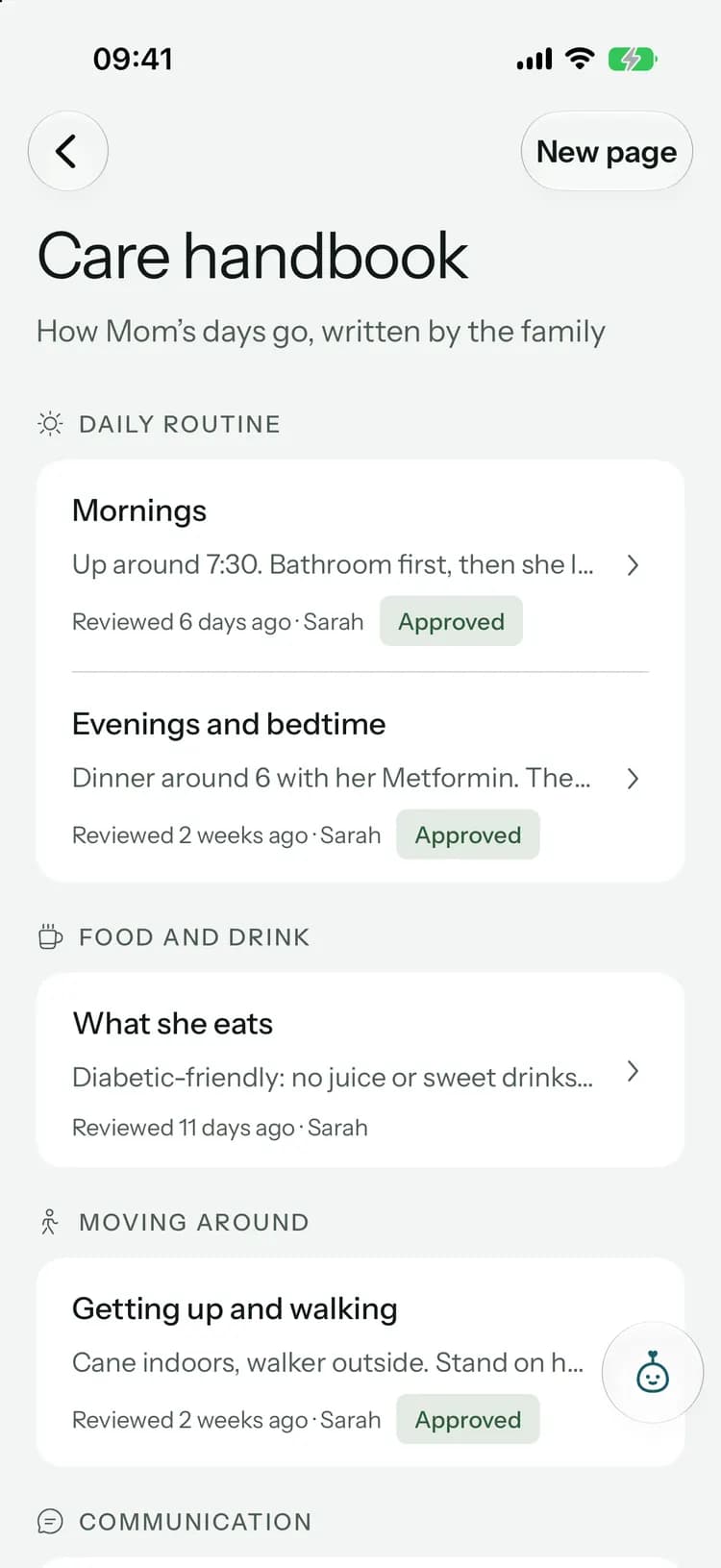
  • The care handbook says how they like things done.
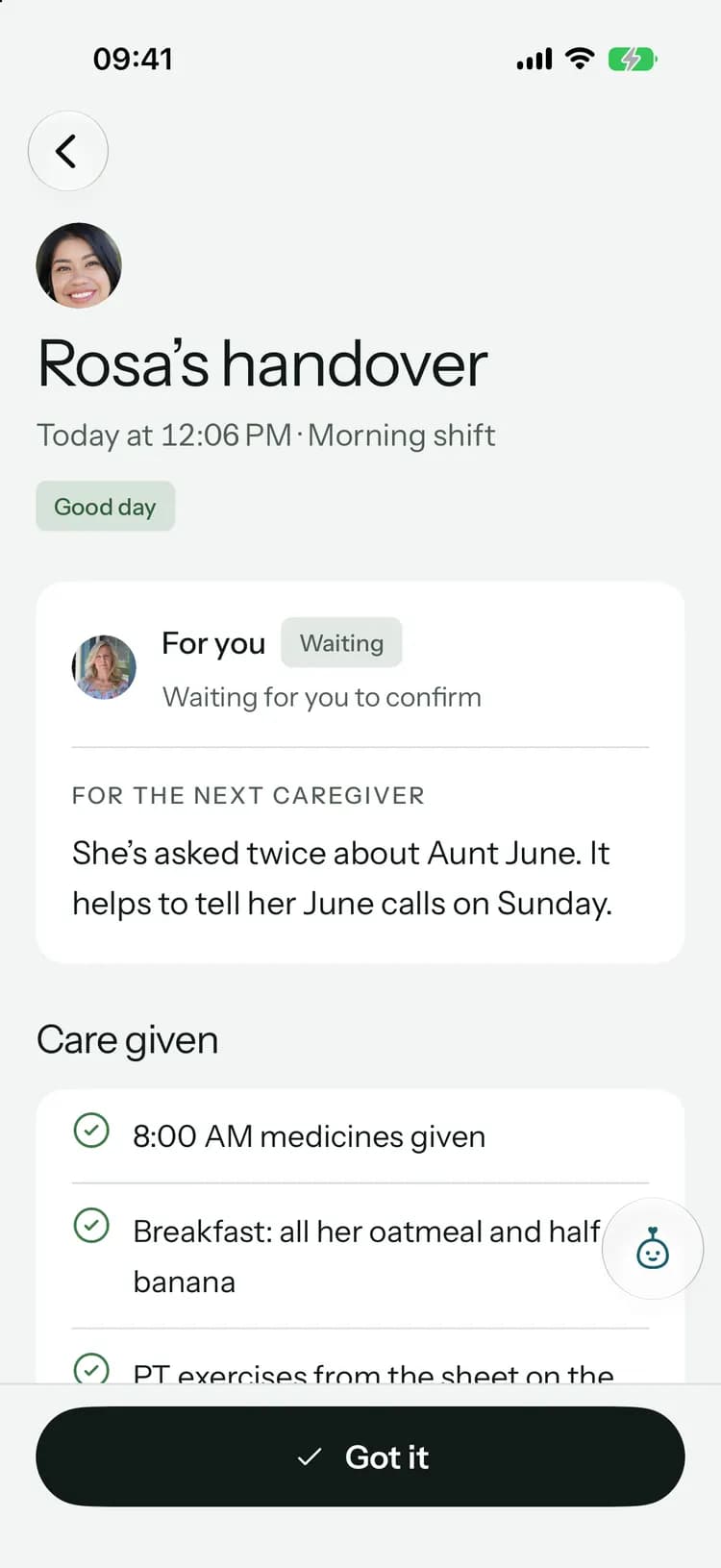
  • Hand over at the end, and know the next person read it.
Kinlovi for paid caregivers
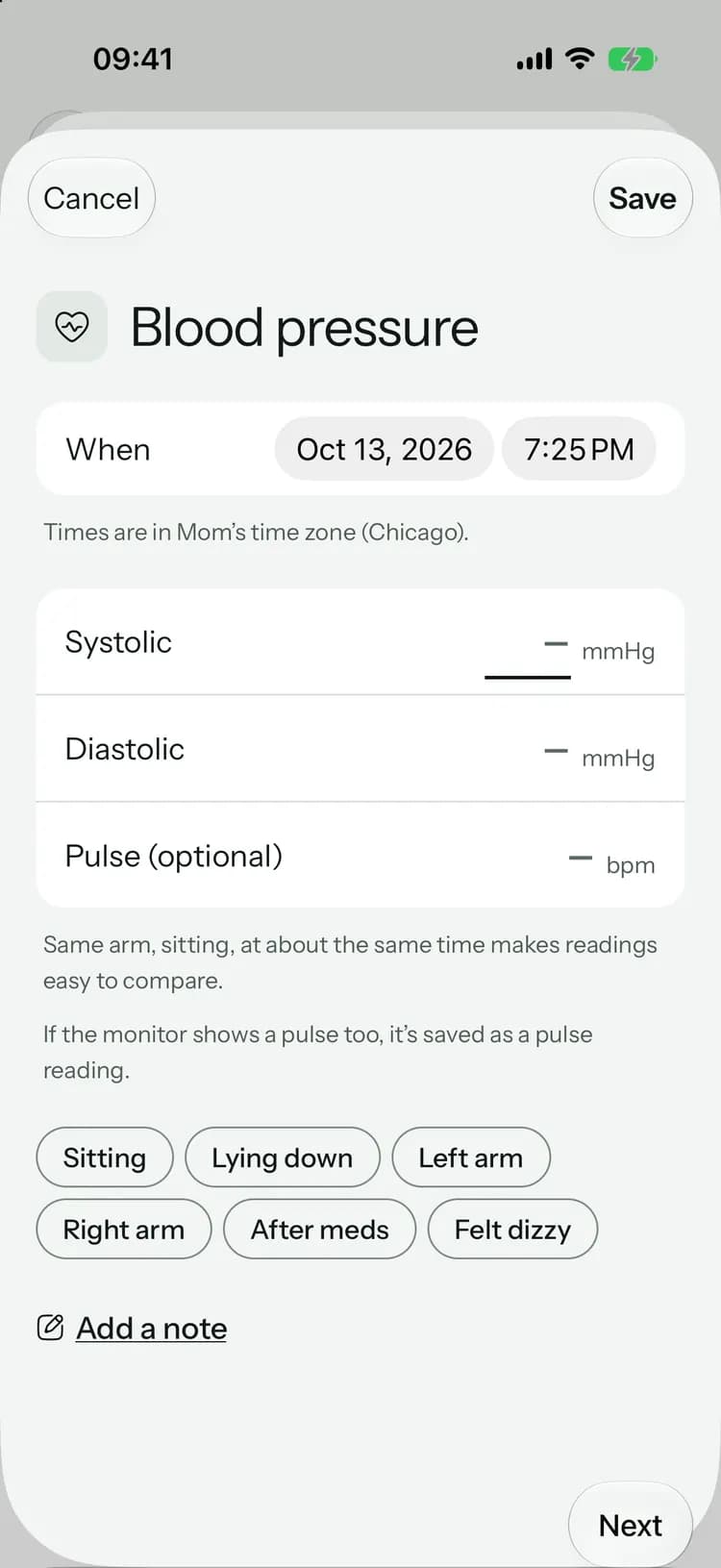
Log blood pressure

Their details stay in the family.

Care is personal. Kinlovi is built so the people you invite see what they should, and nobody else does.

How we protect your data
  • SSarahFamily
    MMikeFamily
    RRosaCaregiver
    Family-only update

    You choose who sees what

    Mark an update family-only. Paid caregivers see what their role needs, never the document vault.

  • 8:00

    Monday, October 12

    Kinlovinow

    8:00 PM meds

    It’s time for Mom’s 8:00 PM medications. Tap to confirm once they’re given.

    Quiet on the lock screen

    Reminders and messages never show medication names or what someone wrote. They just tell you to look.

  • Ads
    Selling your data
    Training AI on your circle

    No ads, and no selling your data

    We don’t sell personal information, show ads, or use your circle’s information to train AI models.

  • Leave this circle
    Delete account

    Yours to delete

    Leave a circle or delete your account and data whenever you want.

One plan covers the whole family.

One person subscribes. Everyone they invite joins free.

Free

$0

Forever

For getting organized together.

Get started
  • 1 circle, 2 members, up to 3 medications
  • 7 days of dose history
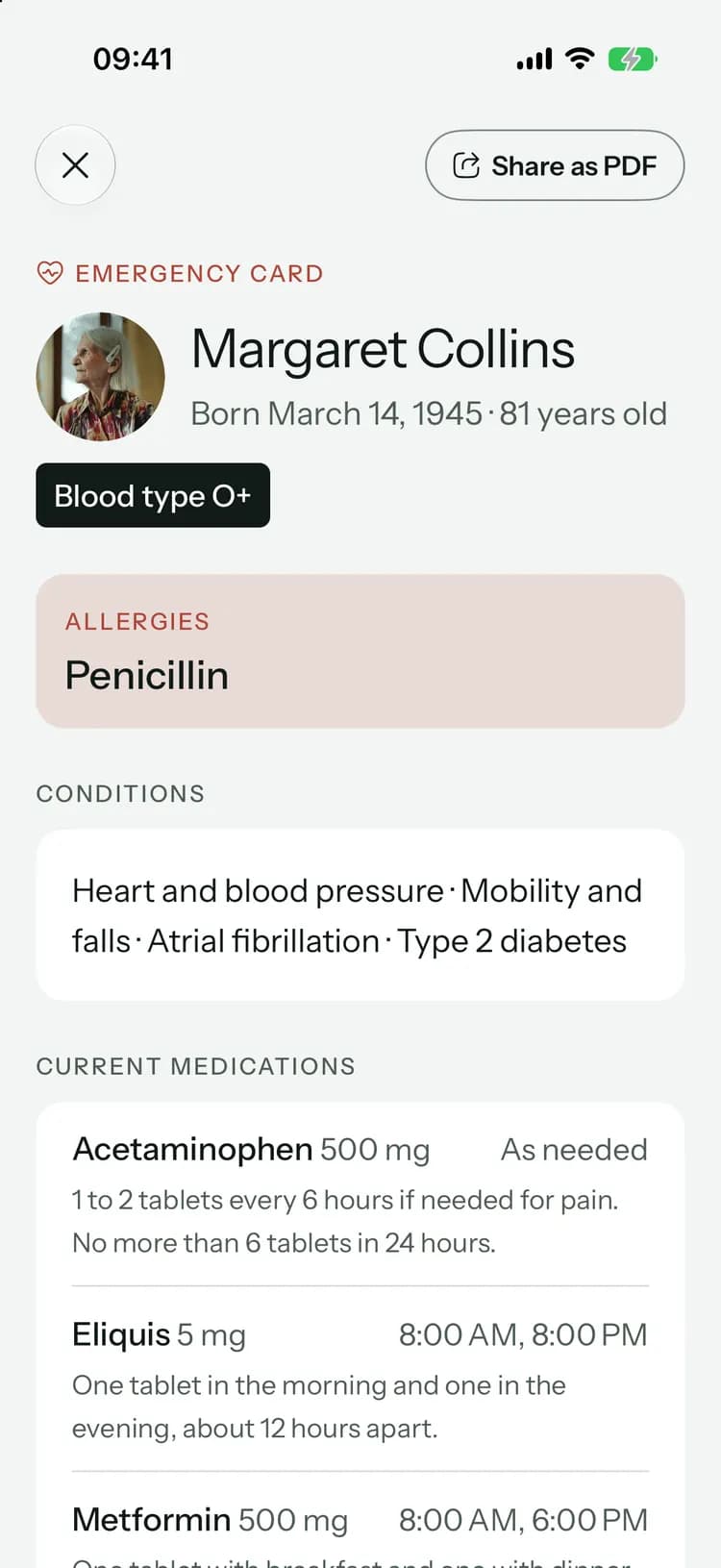
  • Health logs, calendar, tasks and the emergency card

Family

$5.99/ month

or $59.99 a year

For everyone who helps.

Start with Family
  • Up to 2 care circles
  • Unlimited family and caregivers, all free
  • Unlimited medications and refill reminders
  • 90 days of dose history

Family+

$12.99/ month

or $119.99 a year

With Pip, your care helper.

Try Family+
  • Everything in Family, for more loved ones
  • Up to 5 care circles
  • Pip: 200 replies a month across your subscription
  • Voice updates, translations and visit recaps
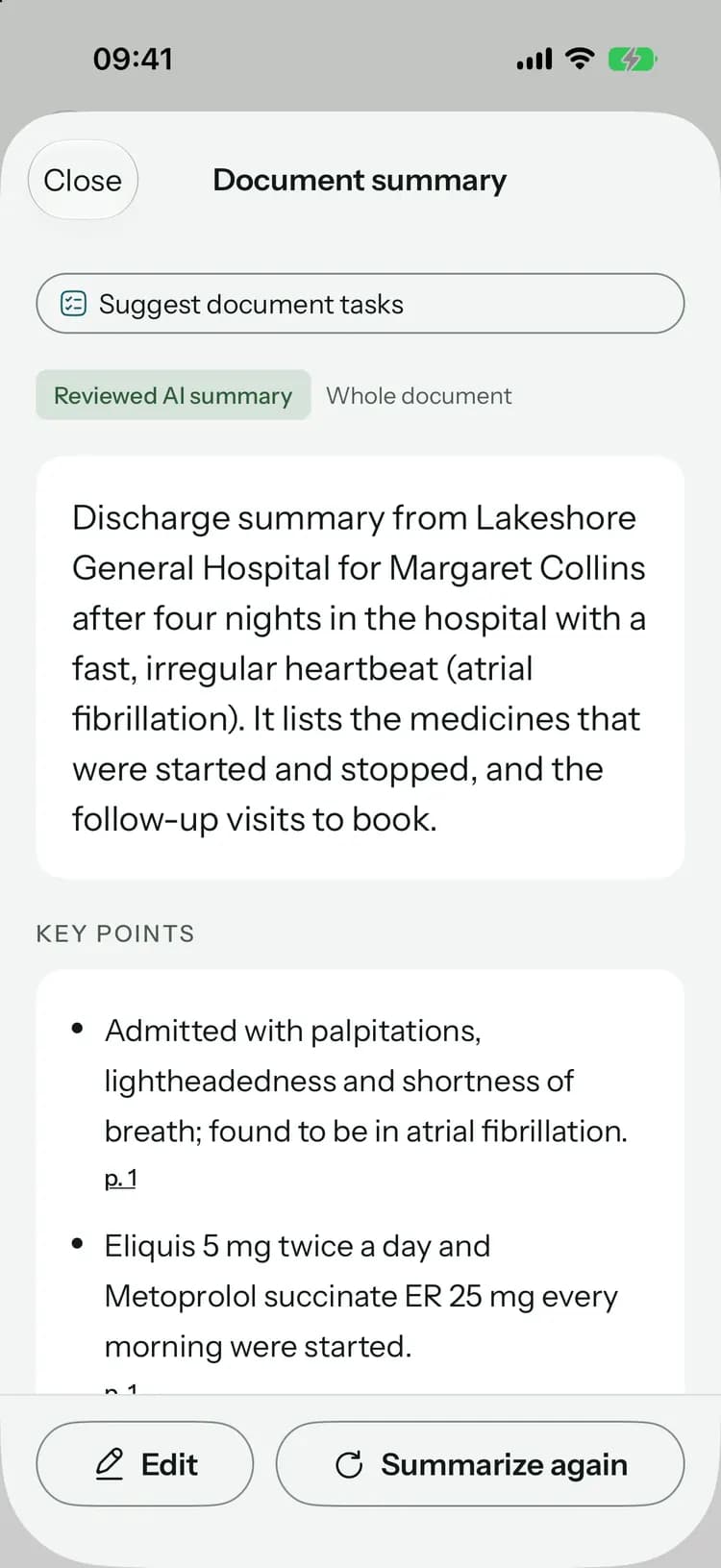
  • Handovers, weekly summaries and document summaries

Compare plans in detail

Practical help for the care you share.

All guides
  • Sharing care7 min read

    Your first week coordinating a parent’s care

  • Staying connected6 min read

    Signs a parent may need more help

  • Care routines7 min read

    Bringing a parent home from the hospital

Common questions

Something else on your mind? Visit the help center

Bring everyone into one place.

Free to start, on iPhone, Android and the web. Everyone you invite joins free.

Coming soon toApp StoreComing soon toGoogle Play

Launching soon. Tell me when it’s live

Or open Kinlovi on the web
The care circle, with photos and roles

We’d like to use PostHog analytics cookies to learn which pages help people. They stay off unless you accept. Storage that keeps the site working is always on. Read more in our Privacy Policy.