For home care agencies · Security
Access you can explain to every family.
A family lets your agency into their care. Kinlovi keeps that access narrow, makes it theirs to approve, records every use of it, and ends it the moment they say so.
Confirm you can approve
- This circle is about meI’m the person receiving care.
- Mom agreed to professional careShe knows which agency is helping and what they’ll see.
- I’m Mom’s legal representativeA healthcare power of attorney, say.
Only Kinlovi’s review team sees your document. It’s never shared with the agency.
Kinlovi checked that you can approve this
Permission to share Mom’s health information is recorded
The family approves each person.
- Kinlovi first checks that the person approving can decide for the client: it’s about them, the client agreed, or they’re a legal representative.
- Taking access away works at once. Anything wider, such as another person or more time, needs a new request and a new approval.
- If the family withdraws permission or the circle changes hands, access pauses until it’s approved again.
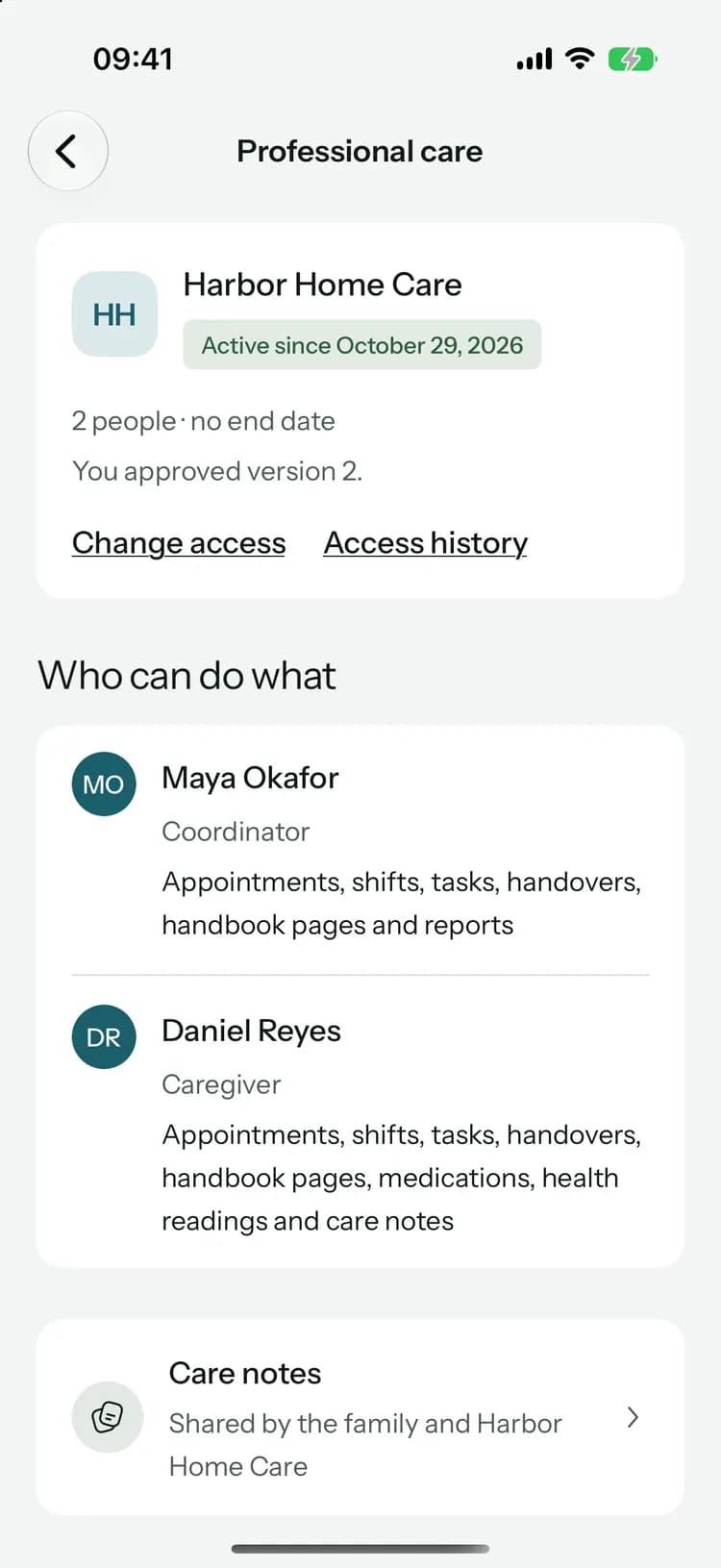
Only what each duty needs.
A coordinator, a caregiver and a clinician each start from the least their work needs. The family can take away more, and some things never reach an agency.
What you can share with the agency
- Shifts, appointment times and places, and tasks that aren’t family-only
- Medications and doses, and the health readings they record
- Handovers and care notes
- The handbook pages and documents the family picks
- Allergies, conditions and doctors, for a clinician
What stays with the family
- Family updates and the circle’s chat
- Shared expenses and receipts
- Visit notes from appointments
- Family-only tasks, and notes marked sensitive unless the family picks them
- Documents they didn’t pick
- Pip, the family’s care helper
Inside your agency.
Passkeys, not passwords
Everyone signs in with a passkey and confirms it again every 12 hours before client records open. Recovery codes cover a lost device.Roles never open care
Owner, admin, billing and member decide what someone manages. Care opens only through an assignment the family approved.Clients by reference
Admins see each relationship as a reference like CL-DSQV5MFW, not a name, until they’re assigned to that client.Big changes ask again
Changing a role, transferring ownership, checking a credential or changing billing needs a passkey check from the last few minutes.Always an owner
Every agency keeps at least one active owner, nobody changes their own role, and only owners make new owners.Quiet notifications
Alerts never name the client, and access is checked again before each one goes out.
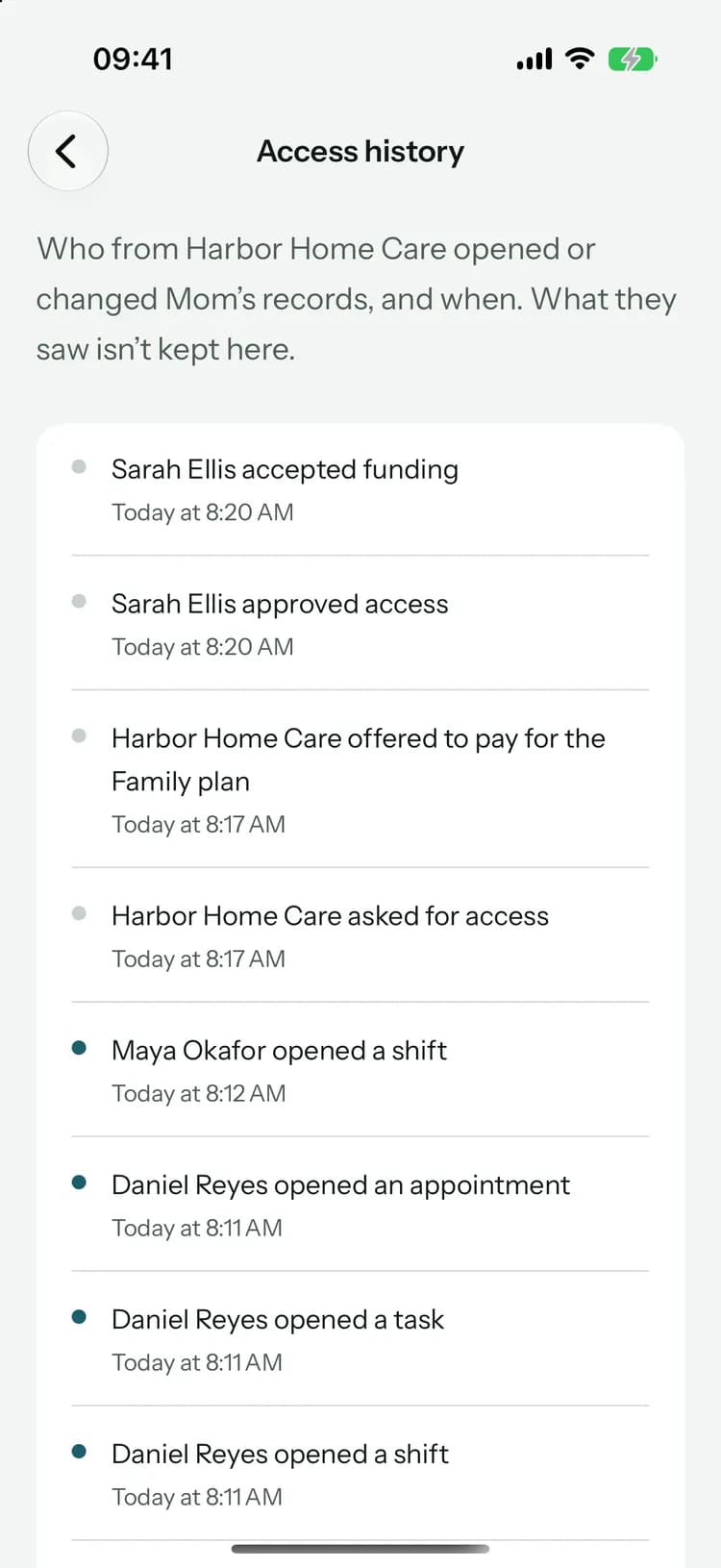
Every use recorded, nothing erased.
- The access history can’t be edited, and a change that can’t be recorded doesn’t happen.
- Your team never deletes shared clinical records. It changes, stops or corrects them, with a reason.
- The shared record belongs to the family, and your own clinical system stays your formal chart.
Metoprolol 25 mgTwice a day · Walter
Earlier versions
- Grace Mensah changed itClinician at Harbor Home Care · Today at 10:02 AMWhy: Prescriber’s change: new dose from Dr. Shah’s letterBefore: 12.5 mg, twice a day
- Helen Brooks added itFamily · Sep 14
The family sees it too.
AI only where the family allows it.
Agency AI is optional. When it’s on, it drafts handovers and summaries for your team to review, and these rules hold.
The family says yes first
It runs only for clients whose family allowed it when they approved your access, and only for people allowed to use it.It reads what your person can see
Only the records that person is approved for. Never family posts, chat, expenses or receipts.A professional reviews every draft
Drafts aren’t kept. Saving one goes through the usual care records, with the person’s name on it.Your budget, not the family’s
It runs from your agency’s monthly budget. If access changes while it’s working, the result is held back.
When access ends, it ends.
A family ending access, an approval reaching its end date or a person leaving your agency takes effect at once. The work they held goes back to the family as needing cover, and its reminders stop. What your team recorded stays with the record.
Common questions
For the family’s side, read how we protect your data.
Bring your agency to Kinlovi.
Kinlovi reviews every agency before it can work with families. Applying takes a few minutes, and we’ll email you when it’s done.
Already working in Kinlovi? Agency sign in